Best Free AI Bathroom Design Apps in 2026: 7 Compared
 Matúš Koleják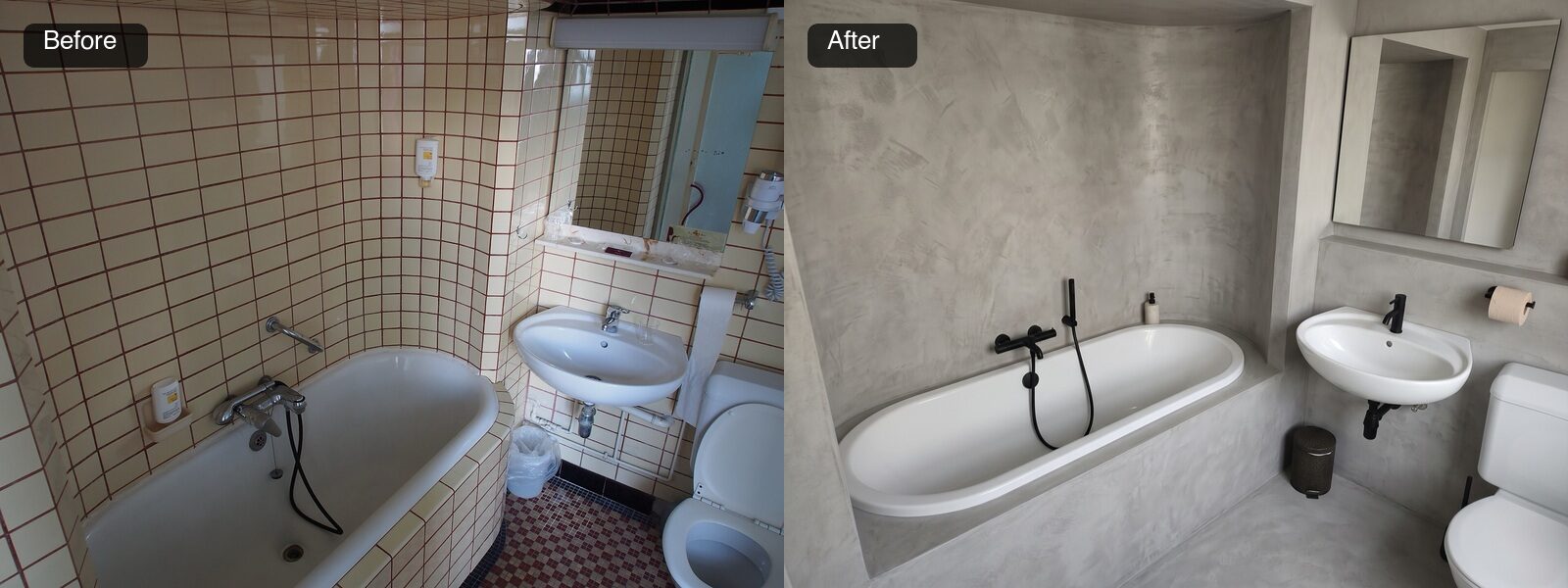
Bathrooms are where AI room design looks most impressive and is most misleading. A new tile and a floating vanity transform a photo completely, and every one of those changes can hide a plumbing job. The render does not know that your soil pipe is fixed in the floor, or that the elegant wall mounted mixer it just drew means opening the wall behind the bath.
So this is not a beauty contest. Below are the seven apps people actually find when they search for a free AI bathroom design tool, what each one gives you for free (taken from their own pages, not from memory), and one real, dated bathroom run through our own tool three times, with every change it made written down. Including the ones that would cost you money.
The same bathroom before and after, MeltFlex AI with the Microcement style. Same tub position, same basin, same toilet, same mirror. Look closer and the tub has changed shape.
How we compared these apps, and what we did not do
Every screenshot in this article was taken by us on 19 October 2026, at 1440 by 900, from each tool's public bathroom or home page. Every free tier, price and user count below is what the vendor publishes on its own site that day. Where a vendor makes a claim we could not check, such as "#1 ranked", we say it is their claim.
We ran one real bathroom photo through MeltFlex AI only. We did not create accounts and spend credits on the other six, so we are not going to pretend we scored their render quality. Anyone publishing a ten point quality score for seven generative tools from one photo each is grading a taste test anyway.
Disclosure. MeltFlex AI is our own product and it is ranked first. Read that with the scepticism it deserves. Everything we say about it can be checked on its own page in a minute, and the test section below shows its failures as plainly as its wins. No vendor paid to be here and there are no affiliate links.
The seven apps at a glance
| App | What you get free | Best for | The catch |
|---|---|---|---|
| MeltFlex AI Bathroom Design | First design free, no credit card | Restyling your actual bathroom with bathroom specific controls | Some styles drift the camera angle |
| Remodel AI | 3 designs at full quality, no card, no watermark | The most free renders before you pay | Its own blog ranks it first, so do its reviews |
| Home Visualizer AI | Free trial, no card | Trying specific products and materials via references | Watermark free downloads are paid |
| Home Design AI | Free credits after you log in | Quick concepts, 1 credit per basic render | The page title says "No Signup", the credits need a login |
| Planner 5D | Free version, paid premium | Planning the layout and fixture positions | It is a planner first, not a photo restyler |
| RoomGPT | Not stated on the home page | Fast general room redesigns | No bathroom specific controls shown |
| Interior AI | Nothing, every plan is paid | Heavy users who need many renders | From $29 a month billed yearly, no refunds |
Pricing in this category changes monthly and most of these sites run permanent looking "sale" banners, so check the vendor's page before you pay for anything.
The 7 best AI bathroom design apps in 2026
1. MeltFlex AI Bathroom Design
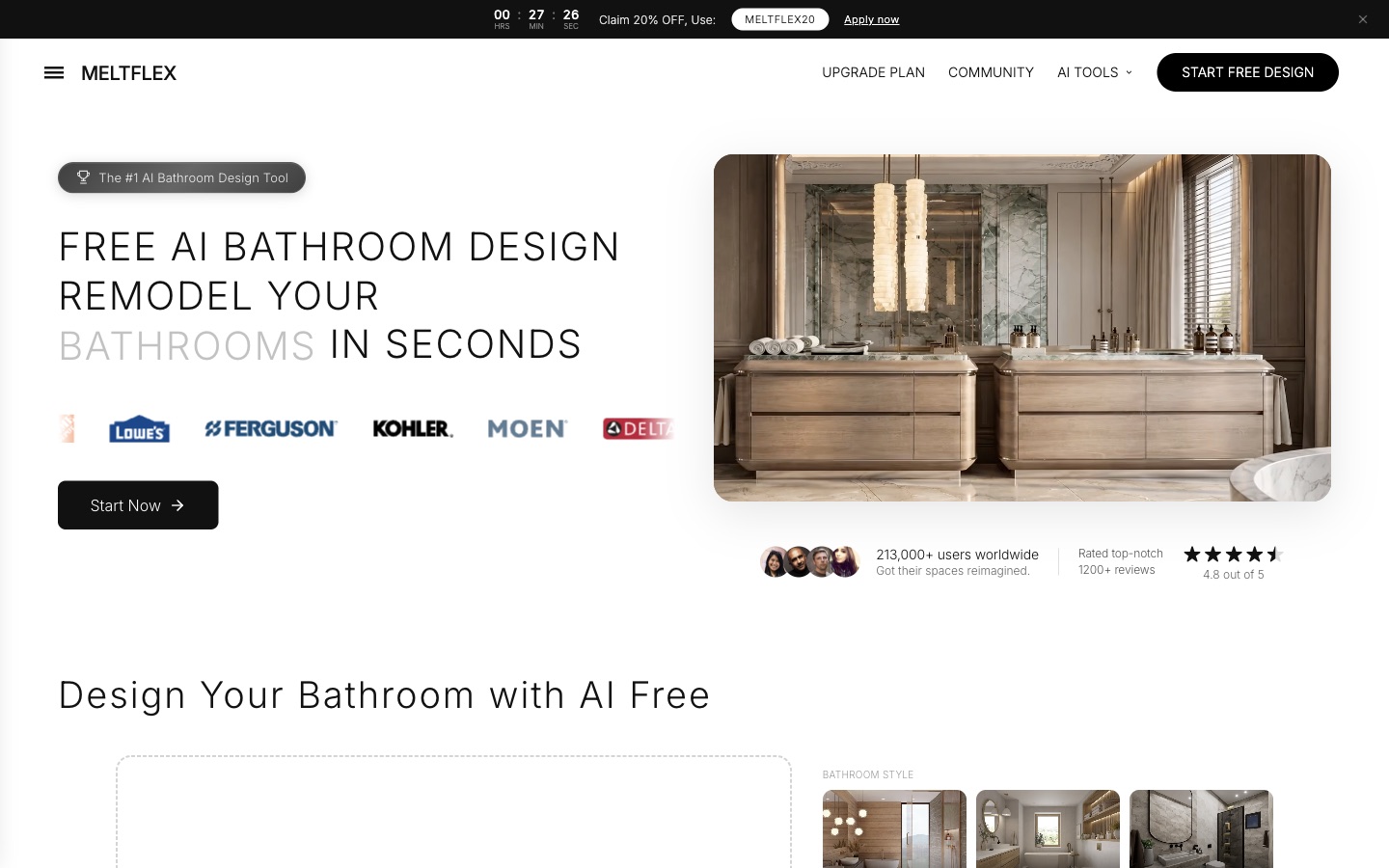
A dedicated bathroom page, with tile palettes and tap finishes as separate controls rather than one style dropdown.
What it is. A purpose built AI bathroom design tool. You upload a photo of your bathroom, pick one of eight styles (Modern Spa, Scandinavian, Marble Classic, Industrial, Japandi, Coastal, Moody Dark, Microcement), and it restyles tiles, vanity, basin, shower and finishes. The page reports 213,000 plus users and 4.8 out of 5 from over 1,200 reviews.
Why it is first. Of the free tools here, it has the most bathroom specific decisions as separate controls. You can keep a style and change only the tile palette (ten of them, from Carrara marble to terracotta), or change only the tapware finish (matte black, brass, chrome, nickel, gunmetal, matte white). There is also a shower and bath layout control with a "keep layout" option next to walk in shower, freestanding tub and wet room. That matters, because "keep layout" is the setting that stops the render from inventing a plumbing job.
Where it falls short. In our test, one of three styles kept the room faithfully and two moved the camera. It also tidies up things that cost money to tidy up, like exposed pipes. Both are shown below.
2. Remodel AI
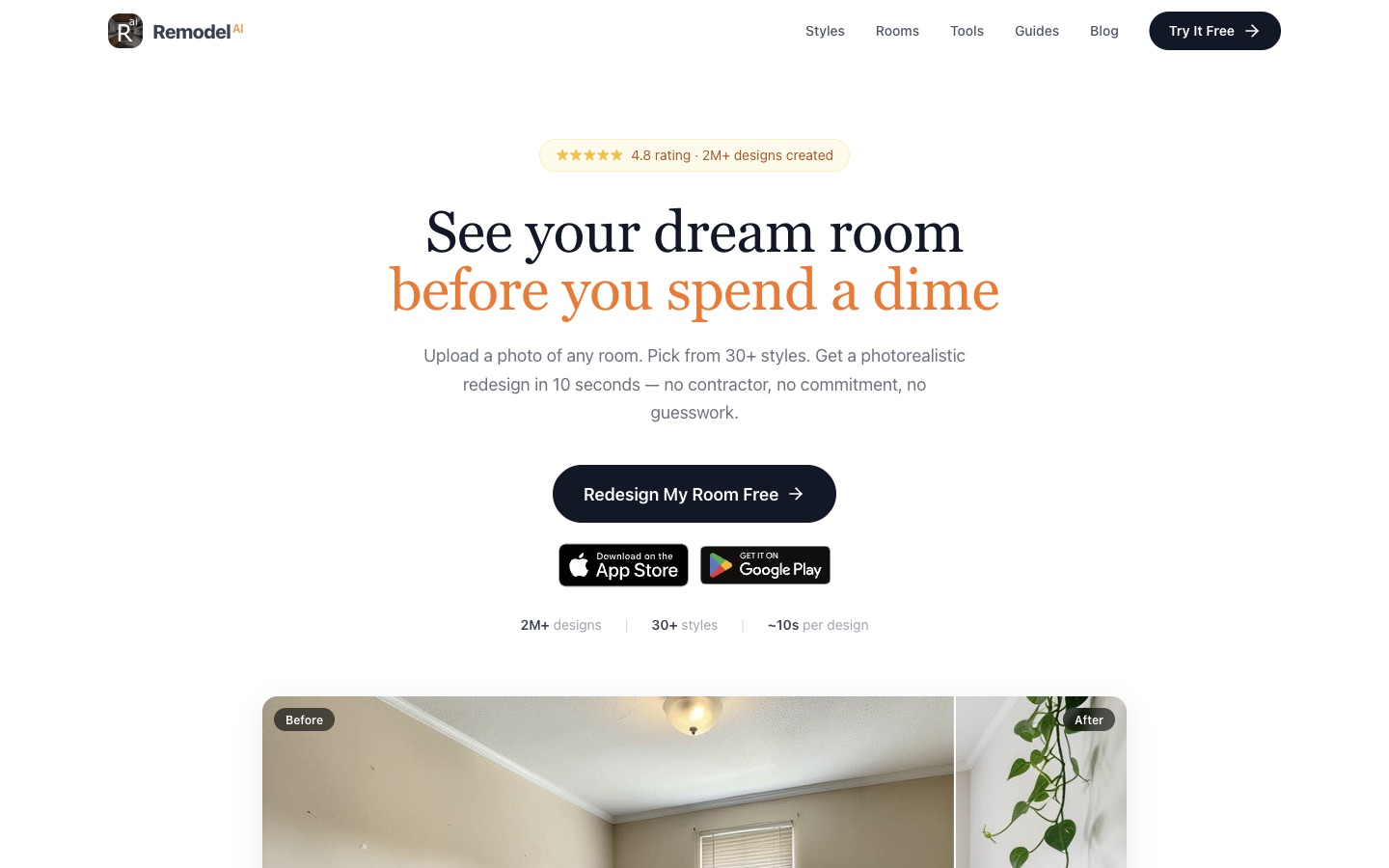
The most generous free tier in this list, on web, iOS and Android.
What it is. A general AI remodel app with a bathroom category and 30 plus styles. The home page offers three free designs at full quality with no credit card, reports a 4.8 rating and 2 million plus designs, and runs on web, iOS and Android.
Best for. Getting the most free renders before paying. Three full quality designs without a watermark is more than anyone else here gives away.
Where it falls short. Remodel AI also publishes the article currently ranking near the top of Google for "ai bathroom design", which names Remodel AI the best free bathroom app. That article is written by the company's founder, which is the same conflict of interest we have, so weigh both rankings accordingly. Bathroom specific controls are not listed on its home page beyond the style category.
3. Home Visualizer AI
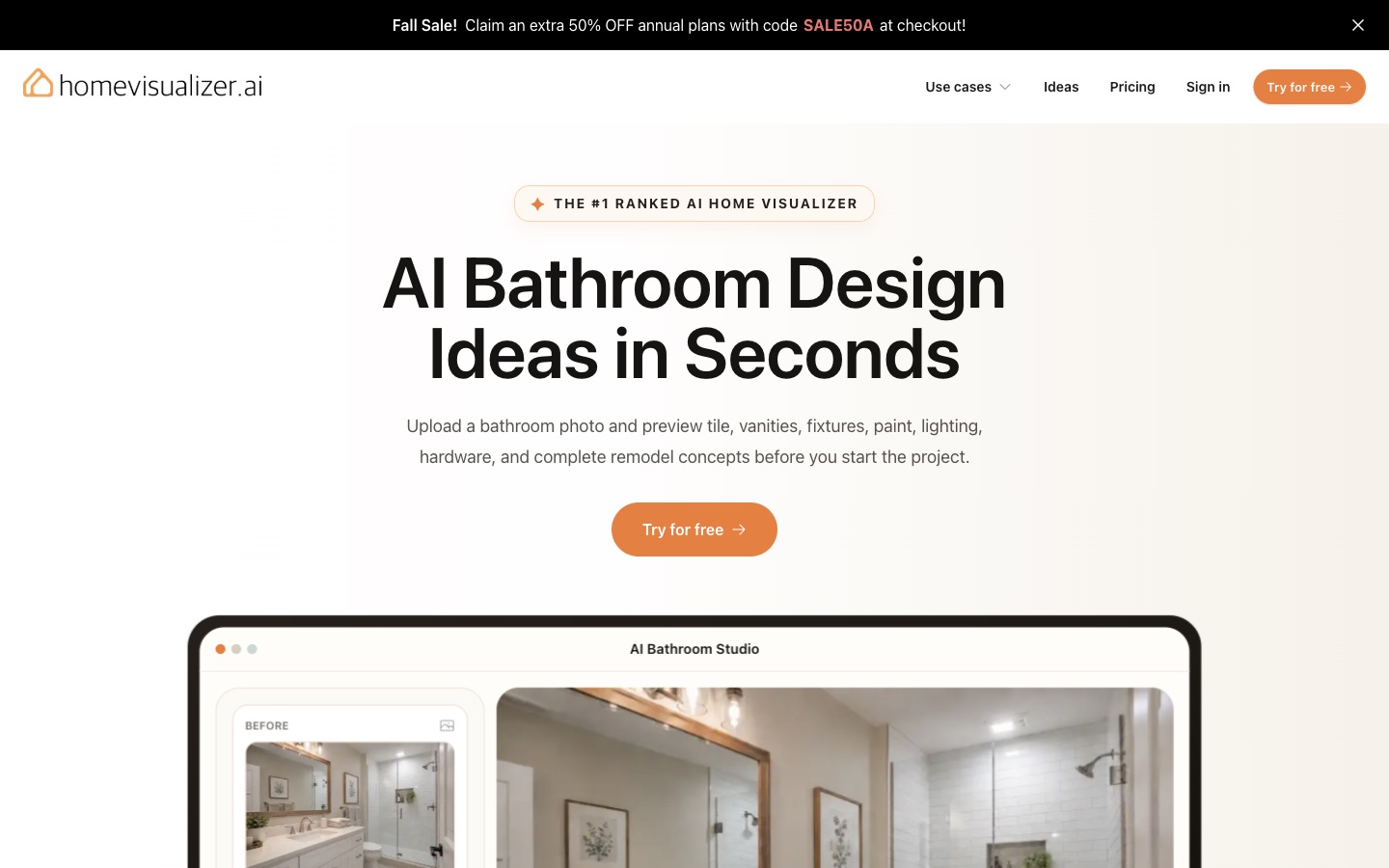
The most honest small print in the category, sitting under a "#1 ranked" badge with no source.
What it is. A bathroom visualizer that lets you preview tile, vanities, fixtures, paint, lighting and hardware from a photo, with Auto, Custom and Style Fusion modes. Style Fusion takes your own product or material reference images, which is genuinely useful when you have already picked a tile and want to see it in your room. Free to try with no card; watermark free downloads are on paid plans.
Best for. Testing specific products you are already considering.
Where it falls short. The "#1 ranked AI home visualizer" badge cites no ranking. To its credit, the same page says plainly that it is not a replacement for measurements, plumbing, electrical, waterproofing, permitting or installation. Every tool on this list should say that.
4. Home Design AI
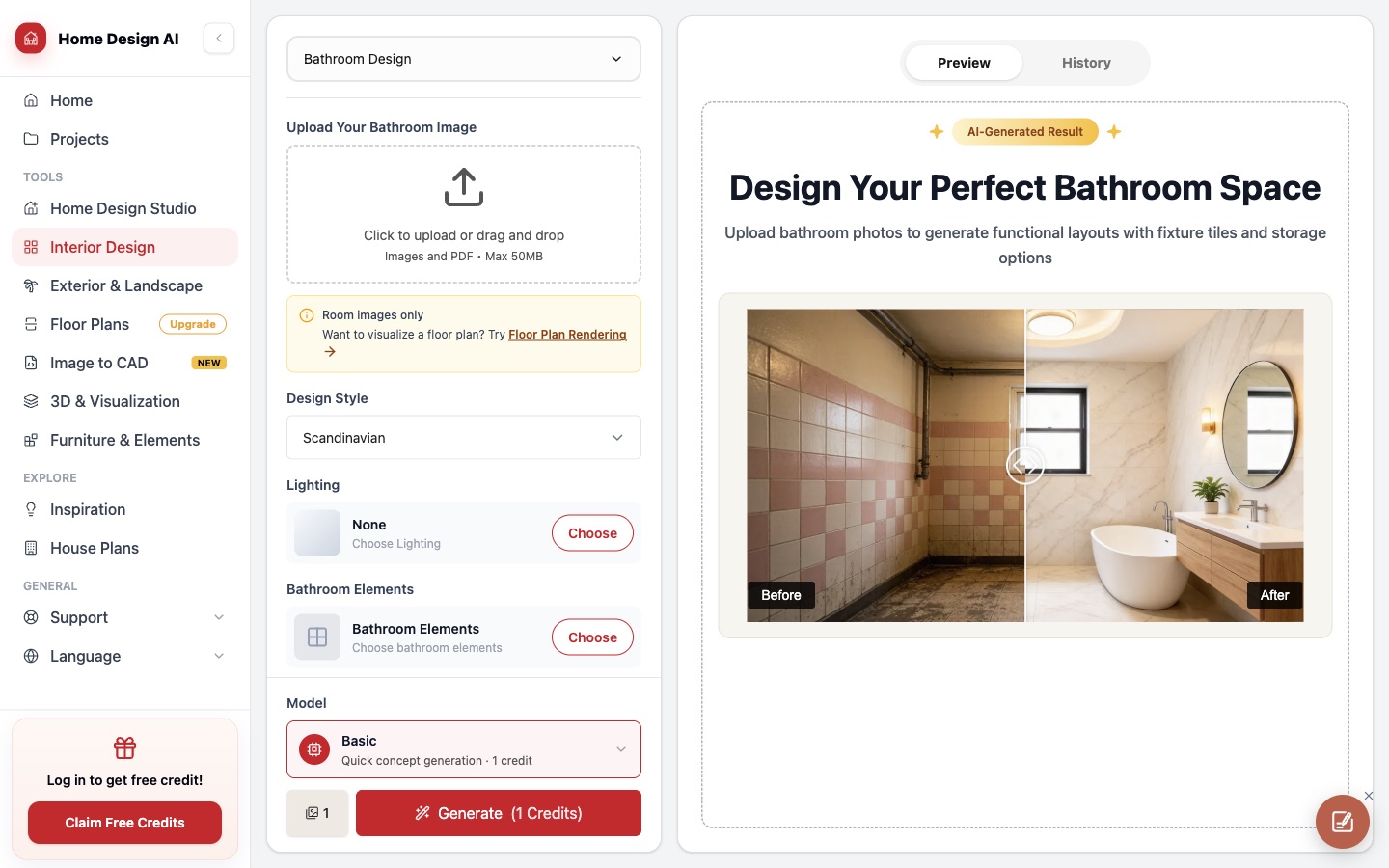
The interface is the landing page, which is quick, and the free credit is behind a login.
What it is. A credit based design studio with a bathroom mode, style picker, lighting and "bathroom elements" options, and 1 to 4 images per run. A basic concept costs 1 credit.
Best for. Fast concepts once you have an account.
Where it falls short. The page title promises "No Signup", while the sidebar says "Log in to get free credit". You can see the tool without signing up; you cannot use it for free without one.
5. Planner 5D
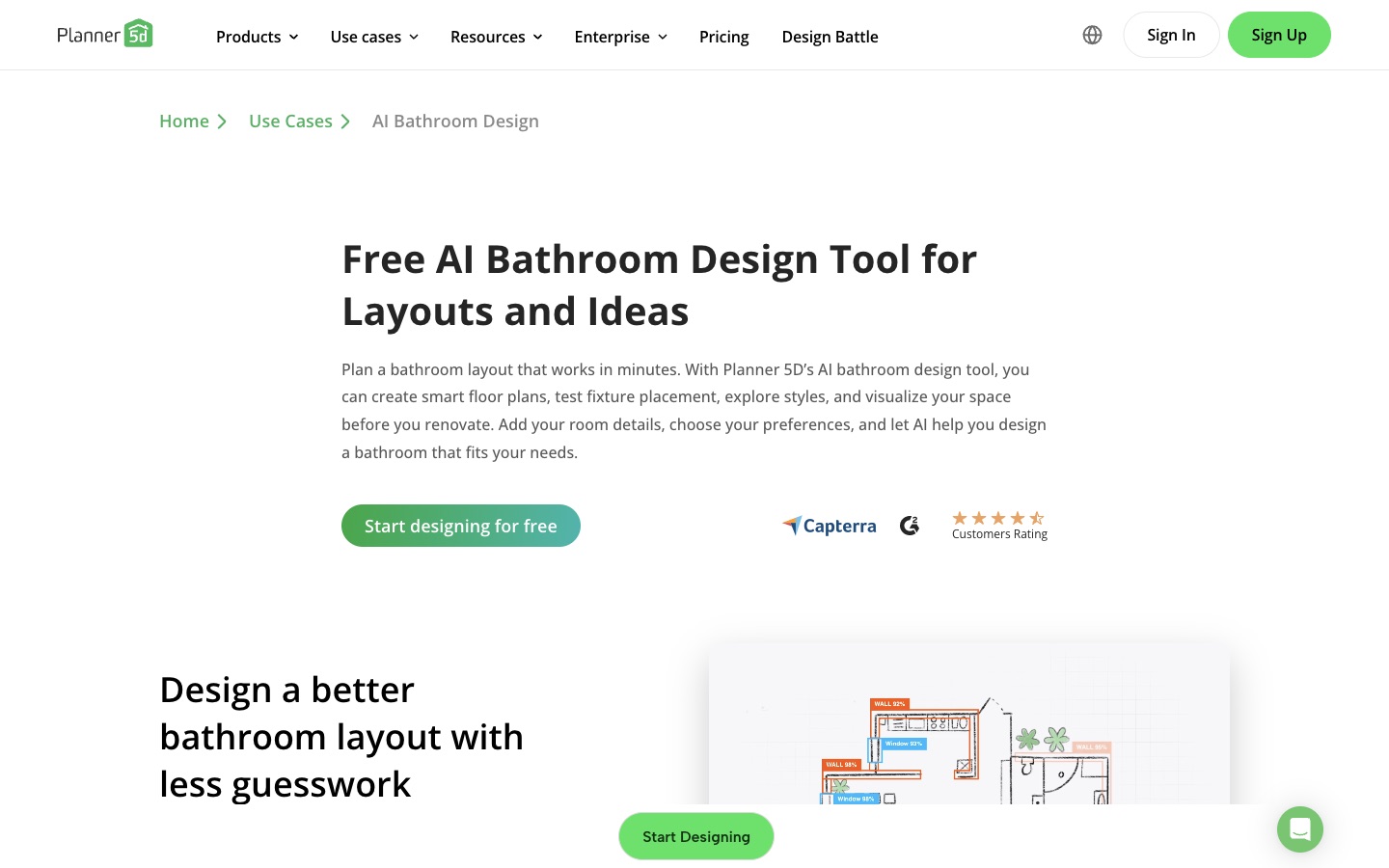
The only tool here that starts from the plan rather than the photo.
What it is. A 3D home planner with an AI bathroom wizard that suggests fixture placement, storage and finishes on a floor plan. There is a free version with premium features on top, and the page notes one free trial per person.
Best for. The question most bathroom remodels actually start with: will a walk in shower fit where the tub is, and where does the toilet go. A photo restyler cannot answer that. A plan can.
Where it falls short. It is slower, and it does not show your actual bathroom in your actual light. Use it for the layout, then a photo tool for the look.
6. RoomGPT

The best known name in AI room design, and a general tool rather than a bathroom one.
What it is. One of the earliest AI room redesign apps. The home page says it is used by over 4 million people. It does not list a free allowance or prices on the home page, only a sale code.
Best for. A quick, general "what could this room look like" pass.
Where it falls short. Bathroom is not called out on the home page at all, and there are no tile, tap or layout controls. For a bathroom you are getting a generic room redesign pointed at a bathroom.
7. Interior AI
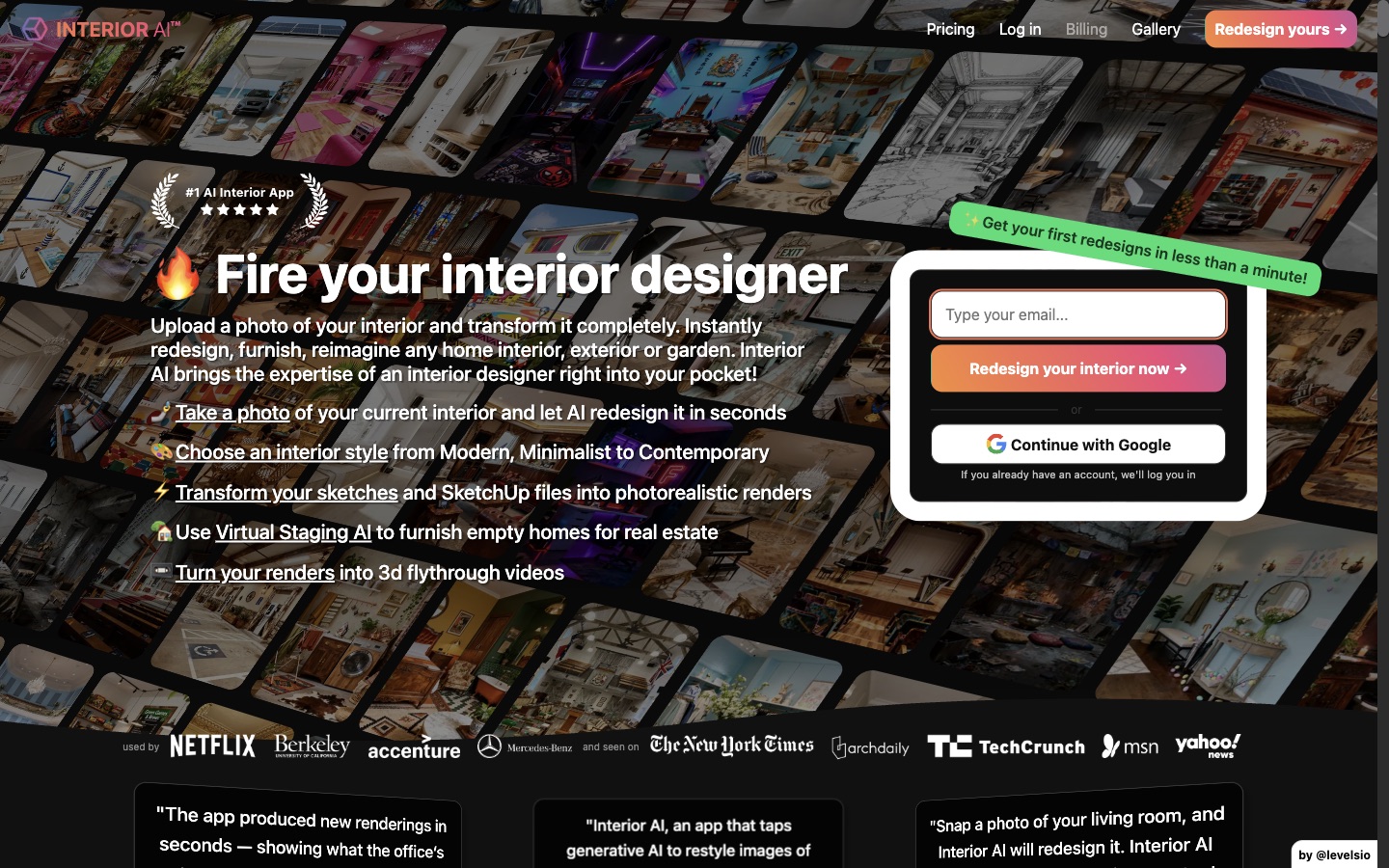
Strong tool, wrong list if your budget is zero.
What it is. A mature AI interior app with 68 room types, including bathroom, hotel bathroom and toilet, and modes like "style transfer (keep interior same)", sketch to render and virtual staging.
Best for. Designers and agents who will render hundreds of bathrooms. Pro is $49 a month for 1,000 designs, or $29 a month billed yearly.
Where it falls short. There is no free tier, you pay at sign up, and the page states that refunds are not offered. It is here because it ranks for these searches and you should know it is not free before you type your email.
We ran one real bathroom through MeltFlex AI three times
The test photo is a genuinely dated bathroom: cream tiles with red grout, a tub set into a curved tiled wall with an exposed wall mixer, a wall hung basin with exposed pipes, a mirror with a light bar, and a toilet in the corner. It is a hard photo on purpose. Curves, a mirror and visible plumbing are exactly where AI renders go wrong.
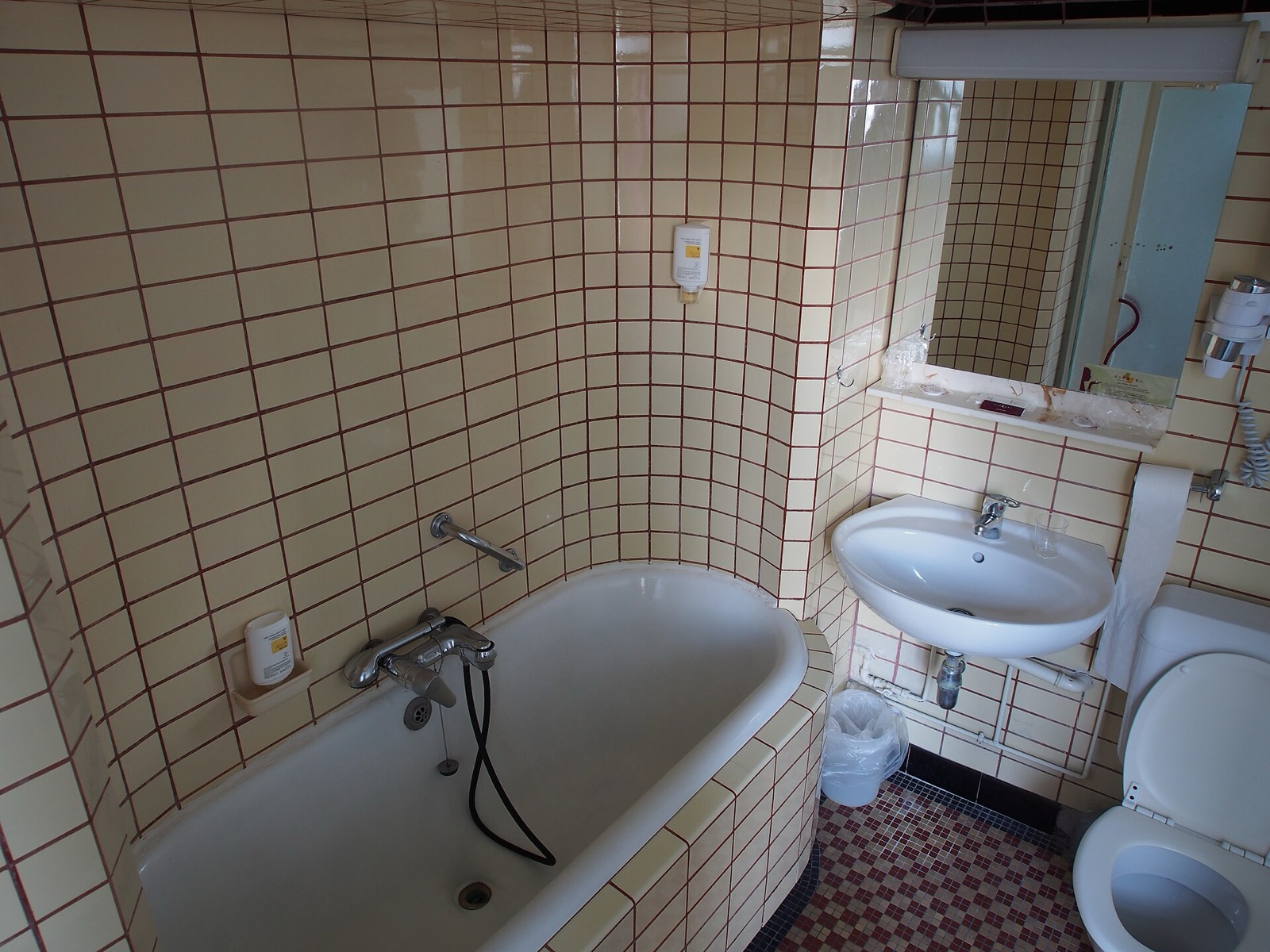
The before photo. Note the exposed supply pipes under and beside the basin, and the asymmetric tub that follows the curved wall.
We used the bathroom tool with three styles, no extra prompt, default settings. Each render took under a minute and cost 10 credits.
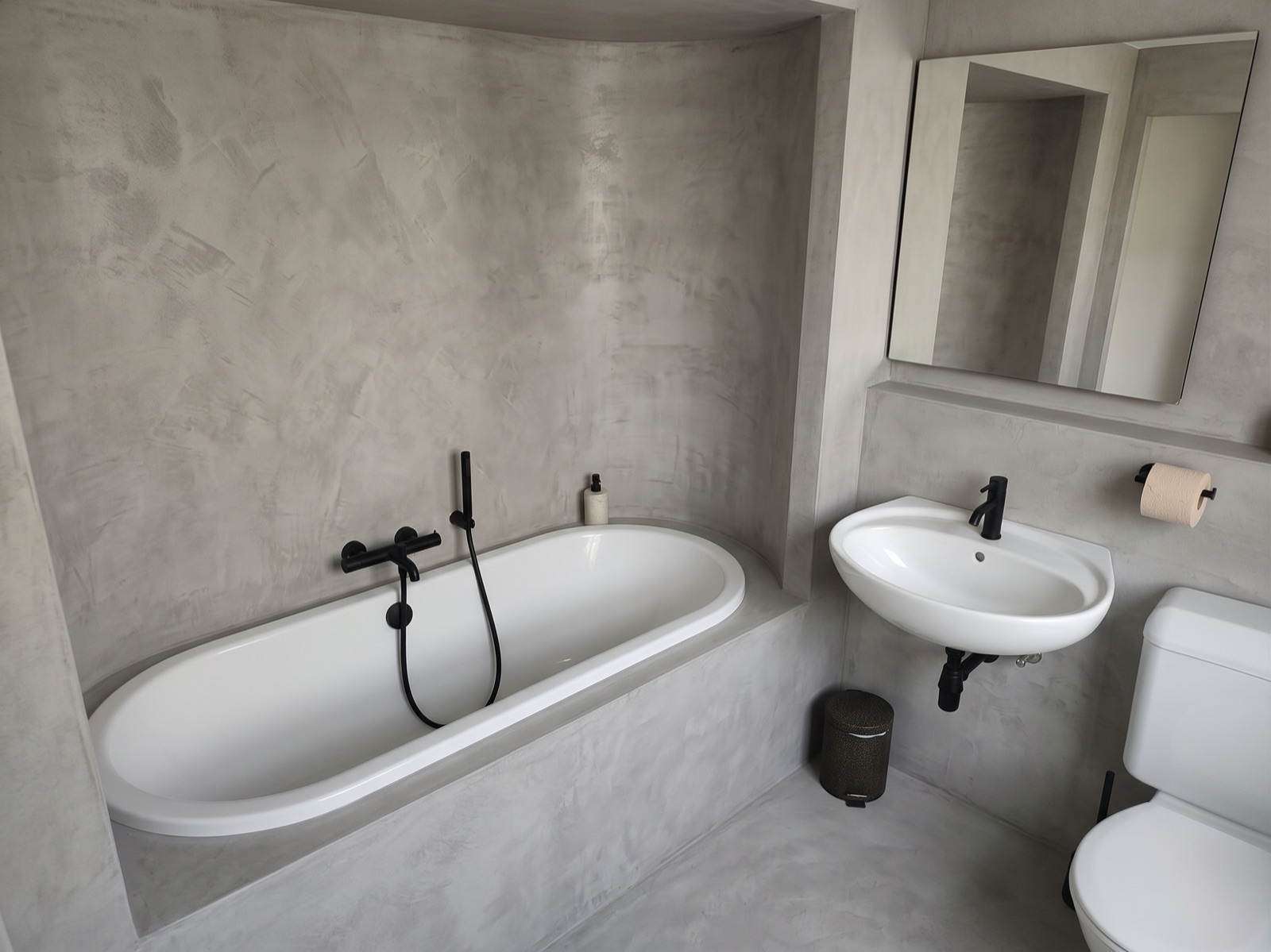
Microcement. The most faithful of the three: same camera height and angle, curved wall kept, basin, toilet and mirror where they were.
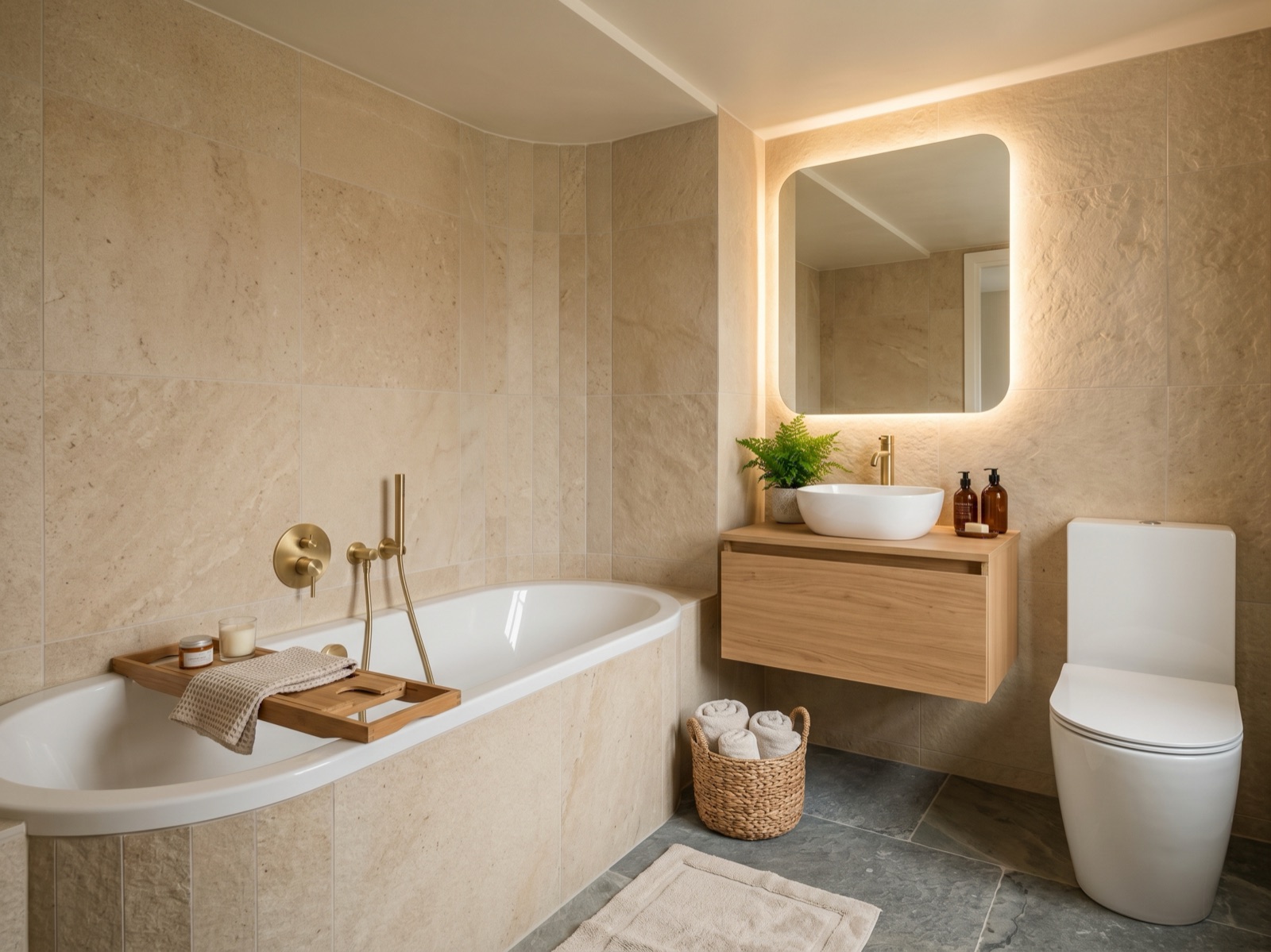
Modern Spa. Beautiful, and the camera has dropped to eye level and swung round, so it is no longer quite your room.
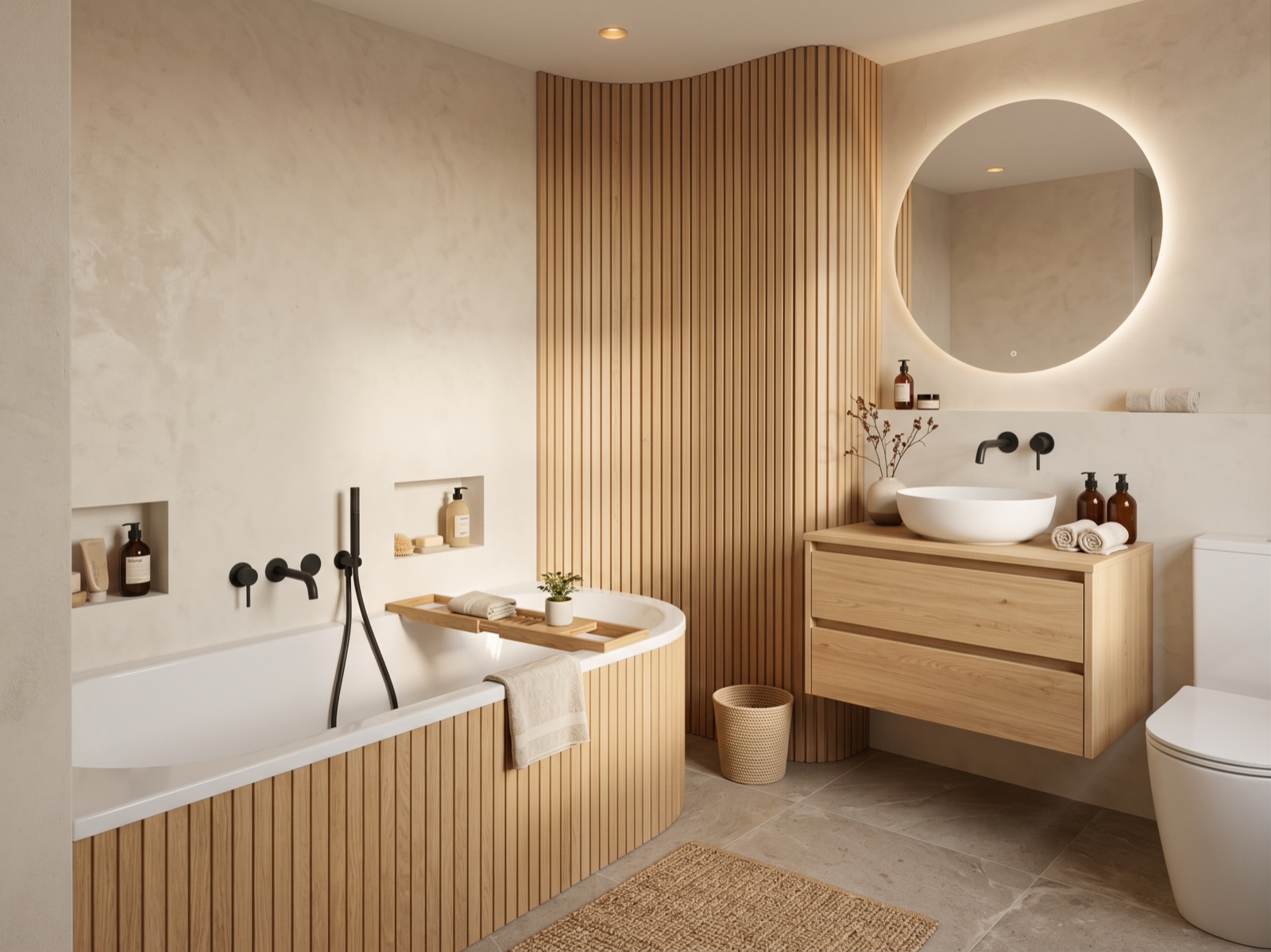
Japandi. The prettiest image of the three and the least faithful. The curved tiled wall became a fluted timber screen in a different place.
Here is everything that changed, and what each change would mean in a real remodel:
| What changed | Where | What it means in real life |
|---|---|---|
| Tub shape changed from the asymmetric original | All three | A new tub and a rebuilt tub surround, not a retile |
| Exposed supply pipes beside the basin disappeared | Microcement | Chasing the pipes into the wall, which means a plumber and a plasterer |
| Basin became a vanity with a vessel bowl | Modern Spa, Japandi | New waste height and tap position, the wall gets opened |
| Exposed bath mixer became concealed valves | Modern Spa, Japandi | Valves buried behind the tiles, the most expensive tap upgrade there is |
| Basin tap moved from the basin to the wall | Japandi | Another concealed valve and a wall spout at a fixed height |
| Light bar above the mirror became a backlit mirror, or vanished | Backlit in Modern Spa and Japandi, gone in Microcement | A backlit mirror needs a power supply behind it; a removed light still needs its wiring safely terminated |
| Camera dropped and rotated | Modern Spa, Japandi | The room proportions in the image are no longer yours |
| Curved wall turned into a timber feature | Japandi | A joinery job, not a finish |
| Toilet stayed in the same corner | All three | Good. The soil pipe is the one thing you cannot cheaply move |
| Microcement kept an exposed bar mixer on the wall | Microcement | The cheapest outcome: a like for like tap swap on the existing outlets |
The honest verdict: the Microcement render is a usable brief for a fitter, with two items to price separately (a new tub, and hiding the pipes). The other two are mood boards. That is not a MeltFlex specific flaw, it is how every image model behaves when a style pulls hard towards a magazine look. The difference is whether the tool gives you a way to hold the room still. Here that is the "keep layout" shower and bath option and the separate tile and tap controls, which change surfaces without asking the model to reimagine the room.
The 60 second check for any AI bathroom render
Before you show a render to anyone, compare it with your photo on these four points. If any of them moved, the image is inspiration, not a plan.
- The toilet. It sits on the soil pipe, which is fixed in the floor. Moving it is usually the single most expensive change in a bathroom.
- The drain. Tub, shower tray and basin wastes all run to fixed points. A shower that moved across the room needs a new fall in the floor.
- The window and door. If either moved or changed size, the model invented a new room and nothing else in the image is comparable.
- The taps. Exposed or concealed, on the basin or on the wall? Taps that disappeared into the wall mean concealed valves and opened tiling.
And ignore whatever is in the mirror. Image models paint reflections rather than compute them, so the glass can show a room that does not exist, as we explain in why AI gets bathroom mirror reflections wrong.
Then check the space, because renders love to add a vanity where there is no room for one. As a minimum guide, the US International Residential Code asks for 15 inches (38 cm) from the toilet's centre line to a side wall, 21 inches (53 cm) of clear space in front of the toilet and the basin, and a shower of at least 30 by 30 inches (76 by 76 cm). Comfortable is more than minimum, and local codes vary, so treat those as the floor rather than the target. We go through the fixed points with a drawing in AI interior design for small bathrooms.
A bathroom render is a finish board with a plumbing bill hidden inside it. Read the bill before you choose the finish.
Which one should you use?
- You have a bathroom and want to see it redone, free: MeltFlex AI, with "keep layout" and the Microcement or Scandinavian styles if you want a faithful result.
- You want the most free renders before paying: Remodel AI.
- You already picked a tile or vanity: Home Visualizer AI with a reference image.
- You are moving fixtures, not just finishes: Planner 5D first, then a photo tool.
- You render bathrooms for a living: Interior AI or a paid plan of any of the above.
Questions people ask about AI bathroom design
Is there a free AI bathroom design app?
Yes, several. MeltFlex AI gives the first design free with no credit card, Remodel AI gives three full quality designs with no card and no watermark, Home Visualizer AI has a free trial without a card, and Planner 5D has a free version. Home Design AI offers free credits once you log in. Interior AI is the exception, with paid plans only.
Can AI design my bathroom from a photo?
It can restyle it very convincingly: tiles, vanity, taps, lighting and mirror in under a minute. What it cannot do is respect your plumbing on its own. Expect it to change the tub, hide pipes and swap exposed taps for concealed ones unless the tool has a layout lock. Use the render to decide the look, then check the four fixed points (toilet, drain, window, taps) against your real room.
Will an AI bathroom render keep my toilet and shower in the same place?
Usually the toilet, often not the shower or the taps. Faithful styles that mainly change surfaces keep fixtures in place; dramatic styles reimagine the room. Choose a tool with a "keep layout" option, avoid styles that push towards a specific magazine look, and compare the render with your photo before showing it to a fitter.
Can I use an AI render to get a quote from a bathroom fitter?
As a picture of the finish, yes, and it saves a lot of back and forth. As a specification, no. Write down every change the render made (new tub shape, concealed taps, a vanity instead of a basin) and ask the fitter to price those separately, because those are the items that turn a retile into a remodel.
Why does the mirror look wrong in my AI bathroom render?
Because image models do not calculate reflections, they paint something reflection shaped. The mirror can show a doorway or window that does not exist. Treat anything inside the glass as decoration. We explain why in why AI gets bathroom mirror reflections wrong.
The honest summary: free AI bathroom design is genuinely good now, and genuinely bad at plumbing. MeltFlex AI is the one we would start with because it lets you change the tiles and taps without asking the model to reinvent the room, and Remodel AI is the one to use when you want more free renders. Whichever you pick, the render decides the finish. The toilet decides the budget.
If the bathroom is part of a bigger redesign, the wider field is in the best AI interior design tools, and the same before and after logic applies to kitchens in AI kitchen remodel visualizer.
Want AI tools like these built into how your business actually runs? Book a free call and we will show you where it pays off.
Screenshots captured by MeltFlex Solutions on 19 October 2026 from each tool's public page. Product names, logos and page content belong to their respective owners. Before photo: "Old bathroom with subway tiles" by Alf van Beem, released under CC0 1.0 on Wikimedia Commons. After images generated by us with MeltFlex AI from that photo.