How Much Does SketchUp Cost? 2026 Prices for Every Plan
 Matúš Koleják
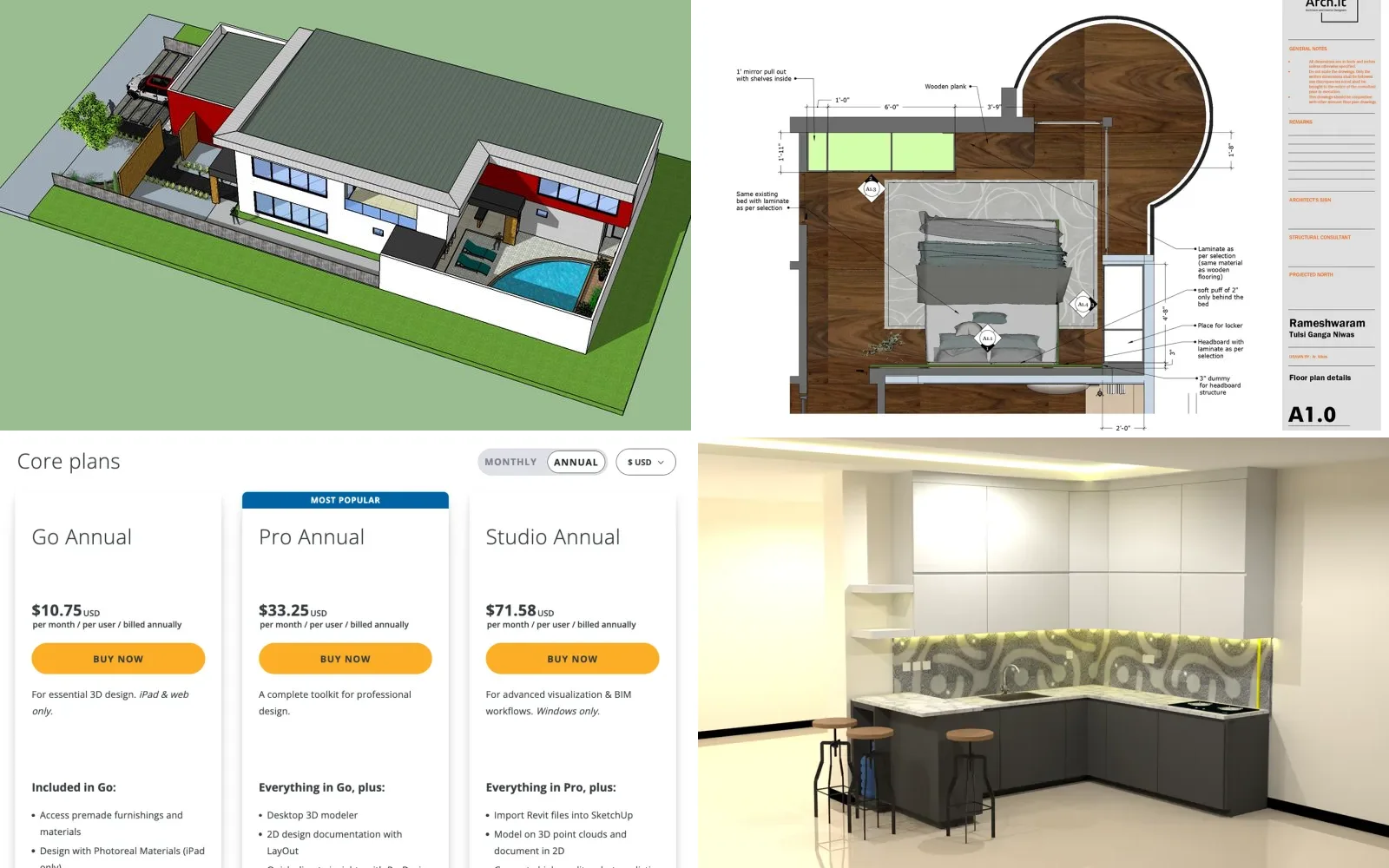
What you pay for: a model, drawings in LayOut, and, on Studio, photoreal renders. Projects on Behance: SKETCHUP DRAWINGS by Daniela Leite, Interior Drawings: Sketchup Layout by Vikas R and Kitchen Set by Alfian Ilhamuddin. Pricing page: sketchup.trimble.com, 3 November 2026.
Most "SketchUp pricing" pages are reseller listings or review sites that copy one number and stop. The real question is which plan you need, because the gap between the cheapest and the dearest way to use SketchUp for a year is more than $1,000, and the most expensive option is not Studio. It is Pro on monthly billing. Below is every US plan as Trimble lists it, what each one leaves out, and when you can skip paying for parts of it.
How much does SketchUp cost?
| Plan | Annual billing | Monthly billing | Runs on | Who it is for |
|---|---|---|---|---|
| SketchUp Free | $0 | $0 | Browser | Personal, non-commercial projects |
| Go | $129 a year ($10.75 a month) | $19.99 a month | Browser and iPad | Quick models on the road, client sharing |
| Pro | $399 a year ($33.25 a month) | $99.99 a month | Windows, Mac, browser, iPad | Most professional work |
| Pro Scan | $499 a year ($41.58 a month) | Not listed | Windows | Modelling on point clouds |
| Pro Civil Contractor | $499 a year ($41.58 a month) | Not listed | Desktop | Site and excavation work with Trimble field tools |
| Pro Advanced Workflows | $599 a year ($49.92 a month) | Not listed | Windows | Point clouds plus Revit import |
| Studio | $859 a year ($71.58 a month) | Not listed | Windows | Rendering with V-Ray, point clouds, Revit import |
| Education | $55 a year | Not listed | All | Students and educators |
Prices for one user in US dollars, before tax, from sketchup.trimble.com/en/plans-and-pricing on 3 November 2026. Trimble shows annual plans as a monthly rate; the yearly totals are that rate times 12. "Not listed" means the plan had no monthly option on the US page that day.
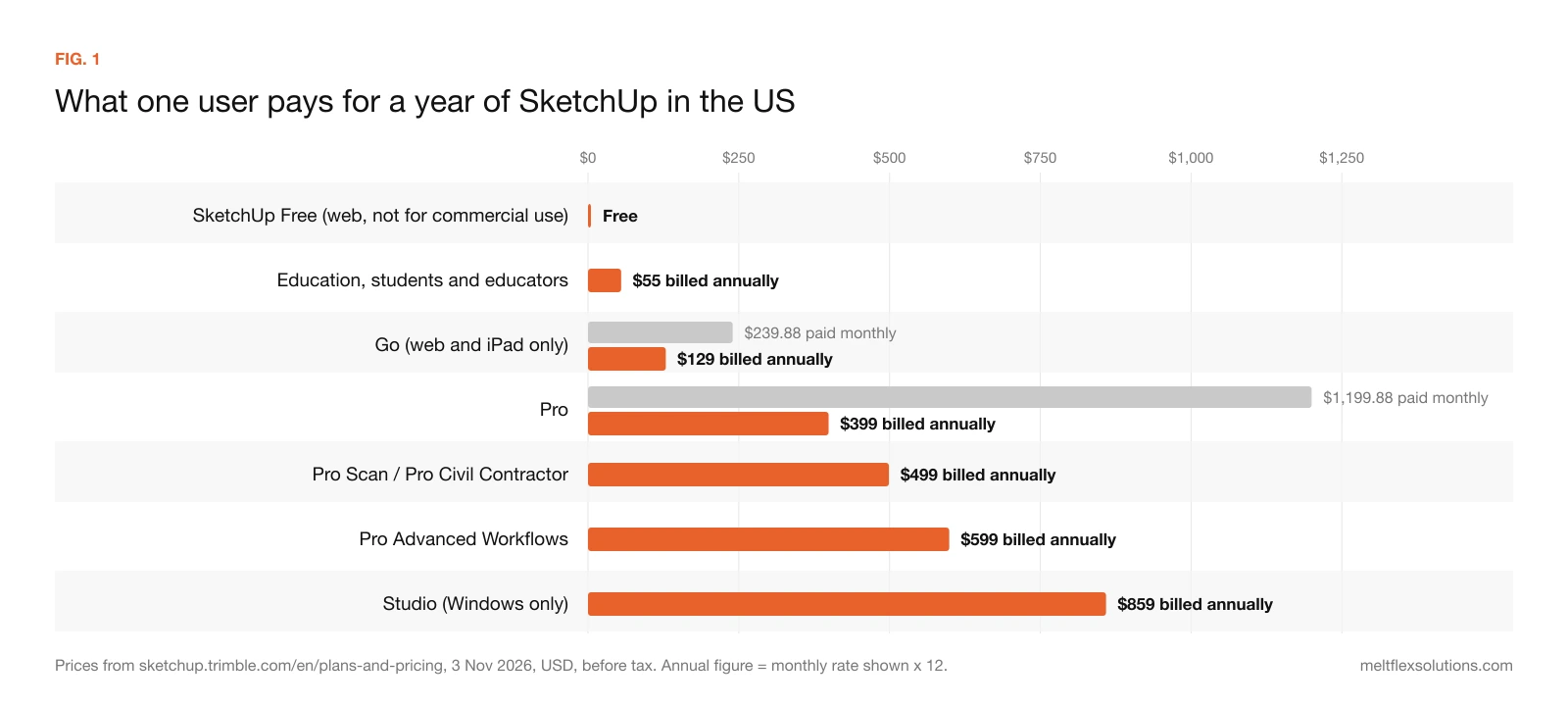
FIG. 1. Every US plan on one scale. The longest bar on the chart is not Studio: it is Pro paid month by month.
Three things on this list surprise people. First, there is no way to buy SketchUp outright any more: Trimble stopped selling new Classic (perpetual) licences and renewals on 4 November 2020, and Classic licences for SketchUp 2017 and older can no longer authorise the program at all. Second, Studio, the top plan, is Windows only, so a Mac user's ceiling is Pro. Third, the desktop program starts at Pro. Go and Free run only in a browser (and Go on an iPad), which is fine for a quick model and frustrating for a full set of drawings.
What each SketchUp plan gets you
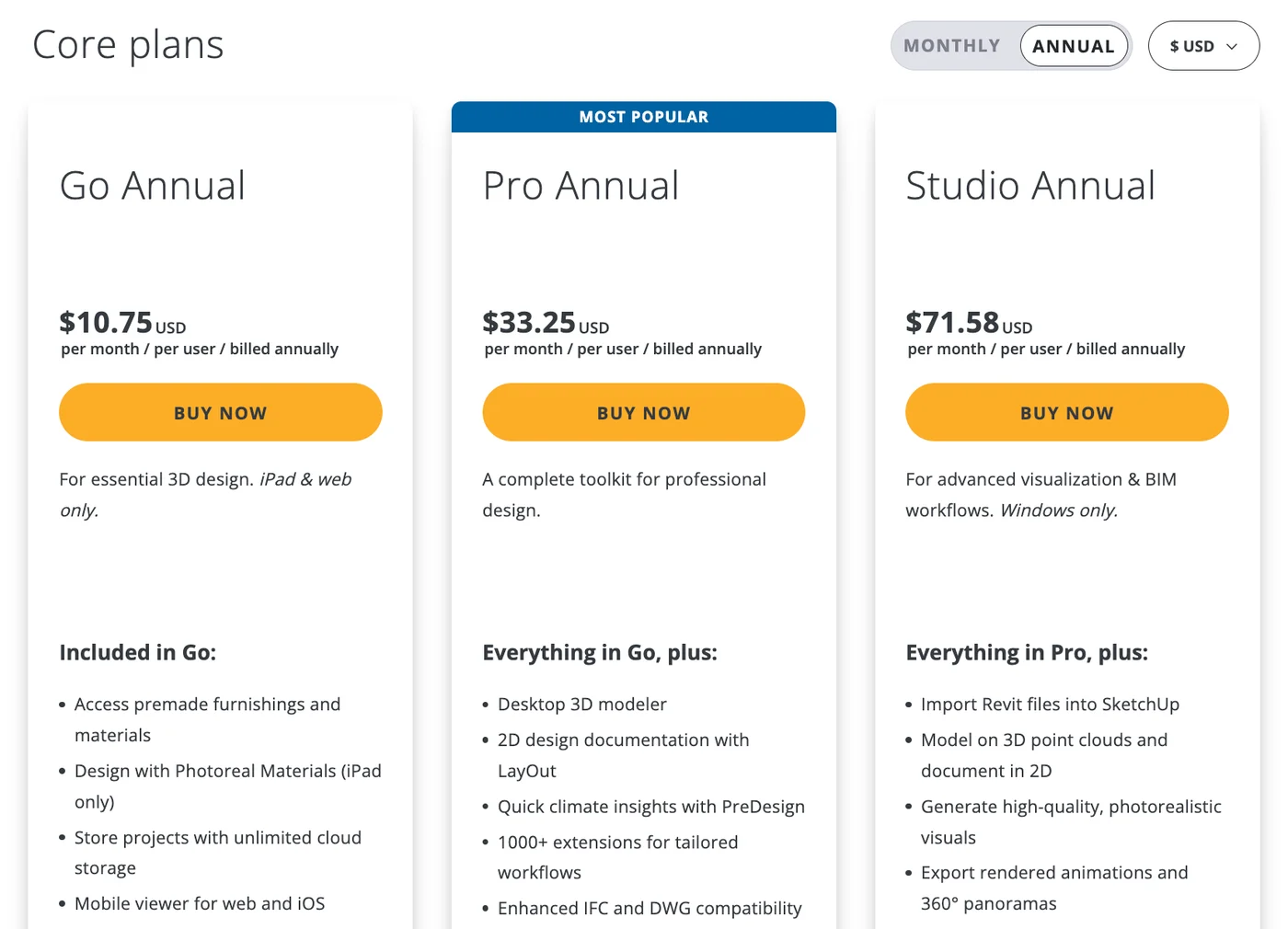
Trimble's US pricing page on annual billing, 3 November 2026. Each price is per month but charged once a year.
SketchUp Free: $0, but not for work
SketchUp Free is SketchUp for Web with 10 GB of cloud storage in Trimble Connect and access to 3D Warehouse. Trimble's help page is blunt: "SketchUp Free is not for commercial use." There is no support and no AI credits, and it runs only in a browser. If you design kitchens, decks or rooms for paying clients, Free is a licence problem, not a saving.
Go: $129 a year, browser and iPad only
Go adds the iPad app, premade furnishings and materials, photoreal materials on the iPad, unlimited cloud storage, and real-time sharing and commenting. It does not include the desktop modeler, LayOut (the program that turns a model into dimensioned drawings), extensions or PreDesign. It suits a designer who sketches massing and layouts in front of a client and does the drawings elsewhere. It does not suit anyone who needs plans on paper.
Pro: $399 a year, the plan most people need
Pro is the full desktop SketchUp on Windows and Mac, plus LayOut for 2D documentation, PreDesign climate checks, the Extension Warehouse (Trimble counts more than 1,000 extensions), dynamic components and what Trimble calls enhanced IFC and DWG compatibility. Pro also raises the 3D Warehouse download limits from Go's 250 a day and 2,500 a month to 1,500 a day and 15,000 a month. For interior designers, woodworkers, deck builders and small architecture practices, this is the plan that does the job.
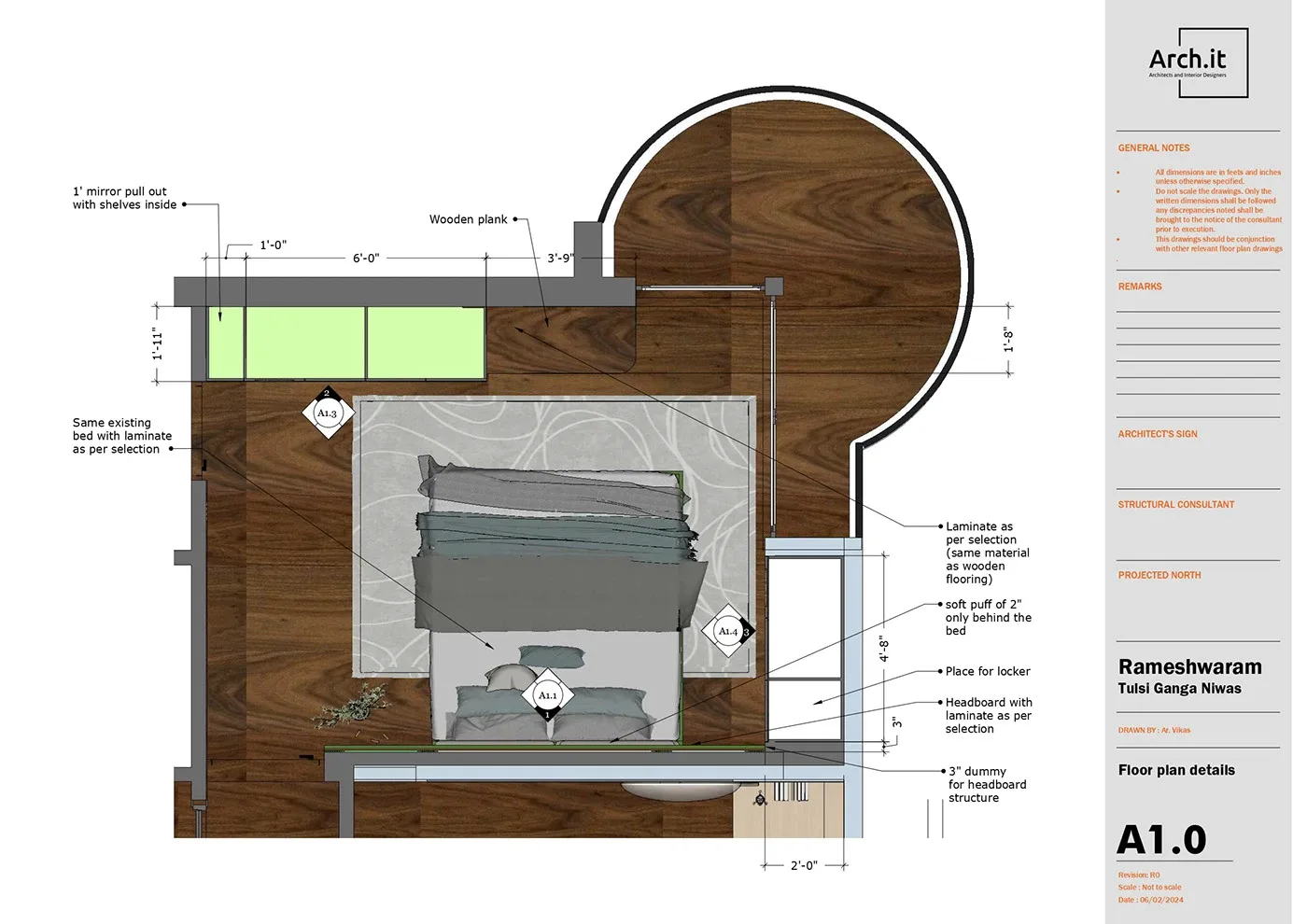
LayOut, included from Pro upward, is what turns a model into a dimensioned sheet like this one. Project: Interior Drawings: Sketchup Layout by Vikas R on Behance.
What Pro does not include is a photorealistic renderer. Pro models look like SketchUp models; photo-style images need Studio's V-Ray or a separate renderer that you pay for on top.
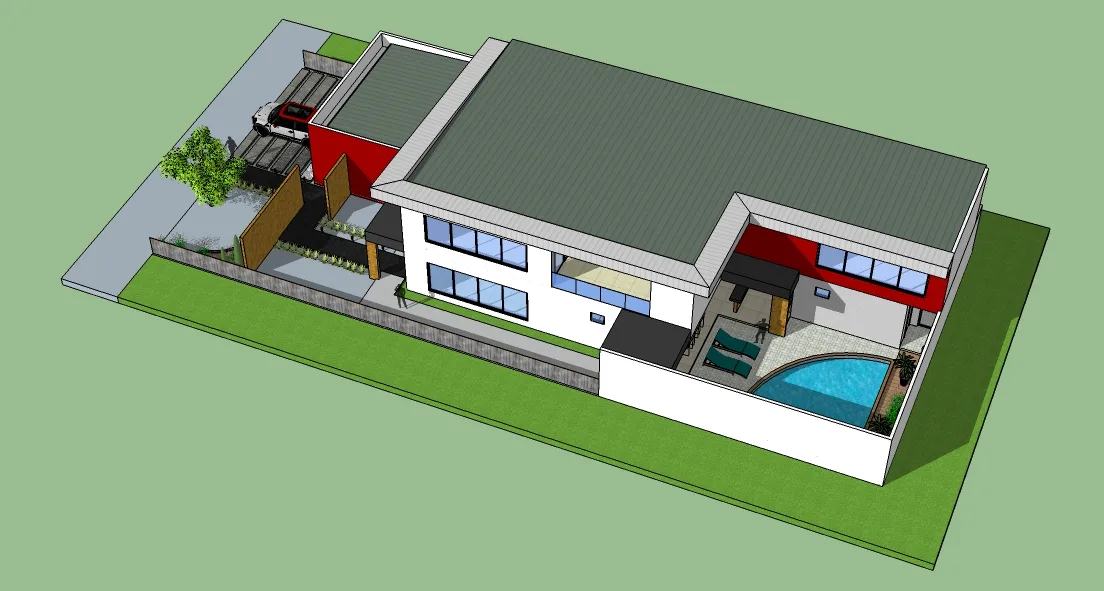
What a model looks like in SketchUp Pro itself: clear, but not a photo. Project: SKETCHUP DRAWINGS by Daniela Leite on Behance.
Studio: $859 a year, Windows only
Studio is everything in Pro plus V-Ray for photorealistic images, animations and 360° panoramas, Scan Essentials for modelling on point clouds, the Revit Importer, the Site Contractor extension and unlimited daily 3D Warehouse downloads (25,000 a month). You pay $460 a year more than Pro for those four things, and you need a Windows PC to use them.
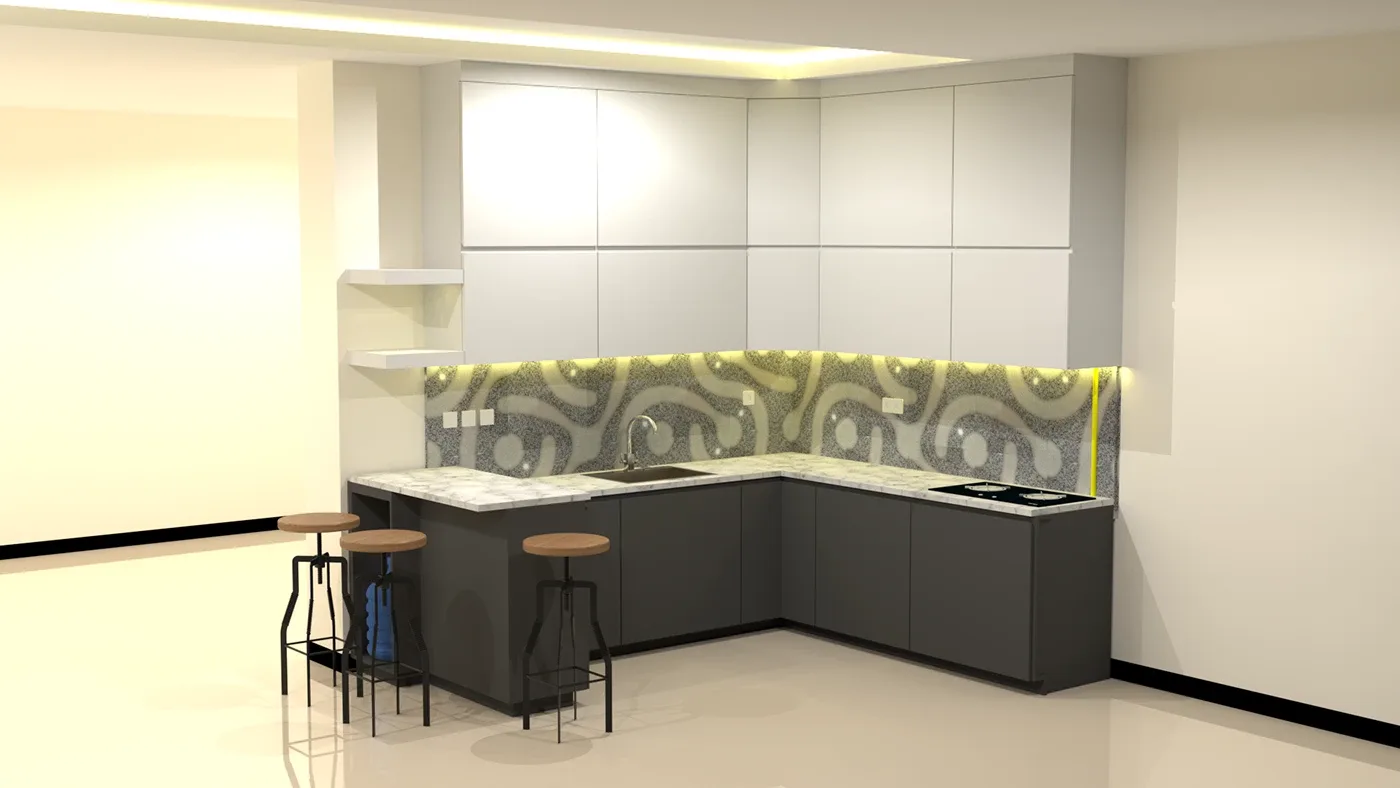
The kind of image V-Ray adds to a SketchUp model. The designer tagged this project SketchUp, V-Ray and LayOut. Project: Kitchen Set by Alfian Ilhamuddin on Behance.
Pro Scan, Pro Civil Contractor and Pro Advanced Workflows
These three sit between Pro and Studio and are easy to miss because they are on a separate tab. Pro Scan ($499) adds Scan Essentials for point clouds. Pro Civil Contractor ($499) connects models to Trimble's Siteworks field equipment for stakeout and excavation. Pro Advanced Workflows ($599) adds both point clouds and the Revit Importer.
The useful comparison is Advanced Workflows against Studio. If you need point clouds and Revit files but render elsewhere or not at all, Advanced Workflows gives you the same import tools for $260 a year less than Studio, because the difference between them is mainly V-Ray.
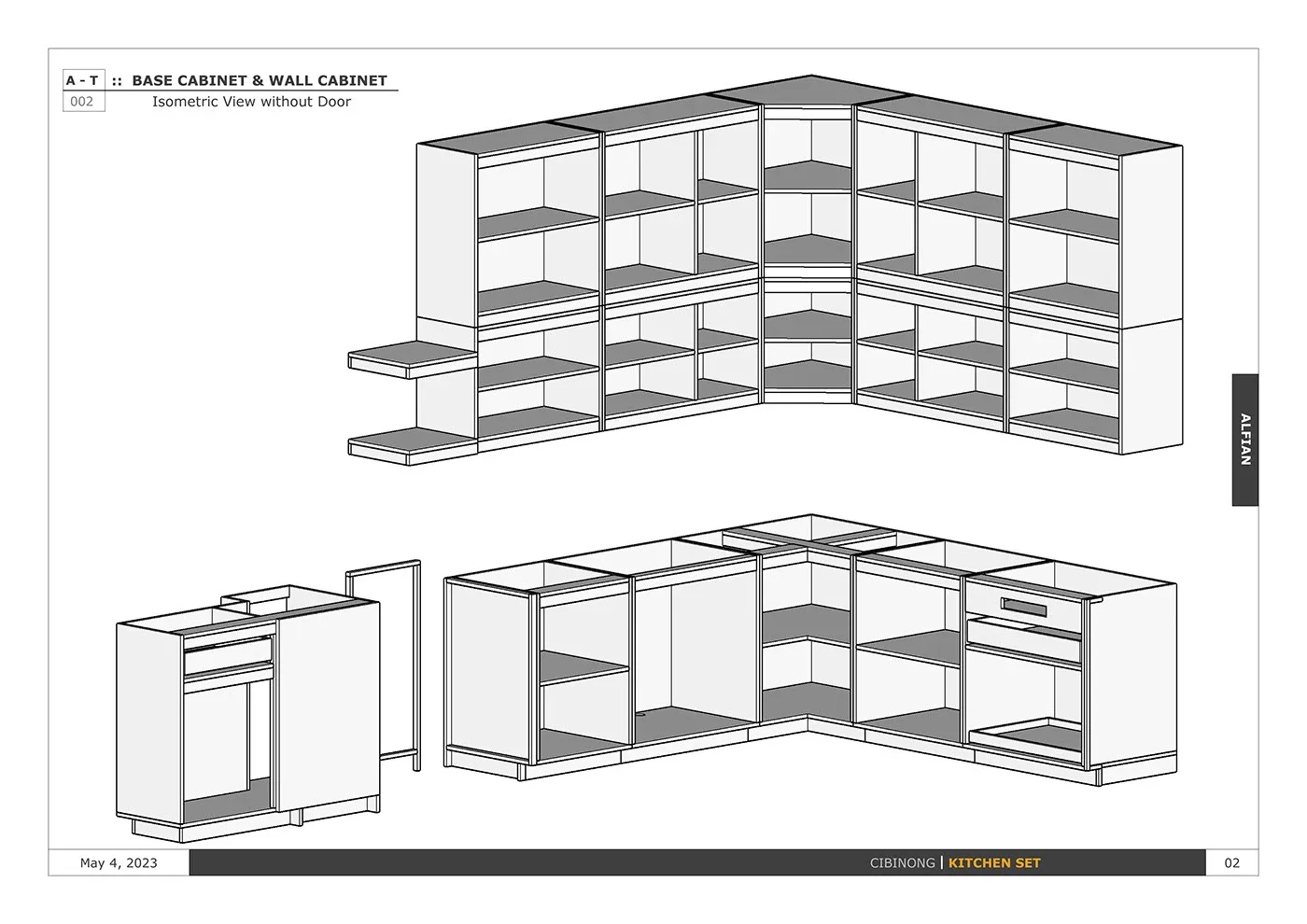
Shop drawings like this cabinet set are SketchUp Pro and LayOut work, with no Studio features needed. Project: Kitchen Set by Alfian Ilhamuddin on Behance.
The monthly trap: why Pro monthly costs three times as much
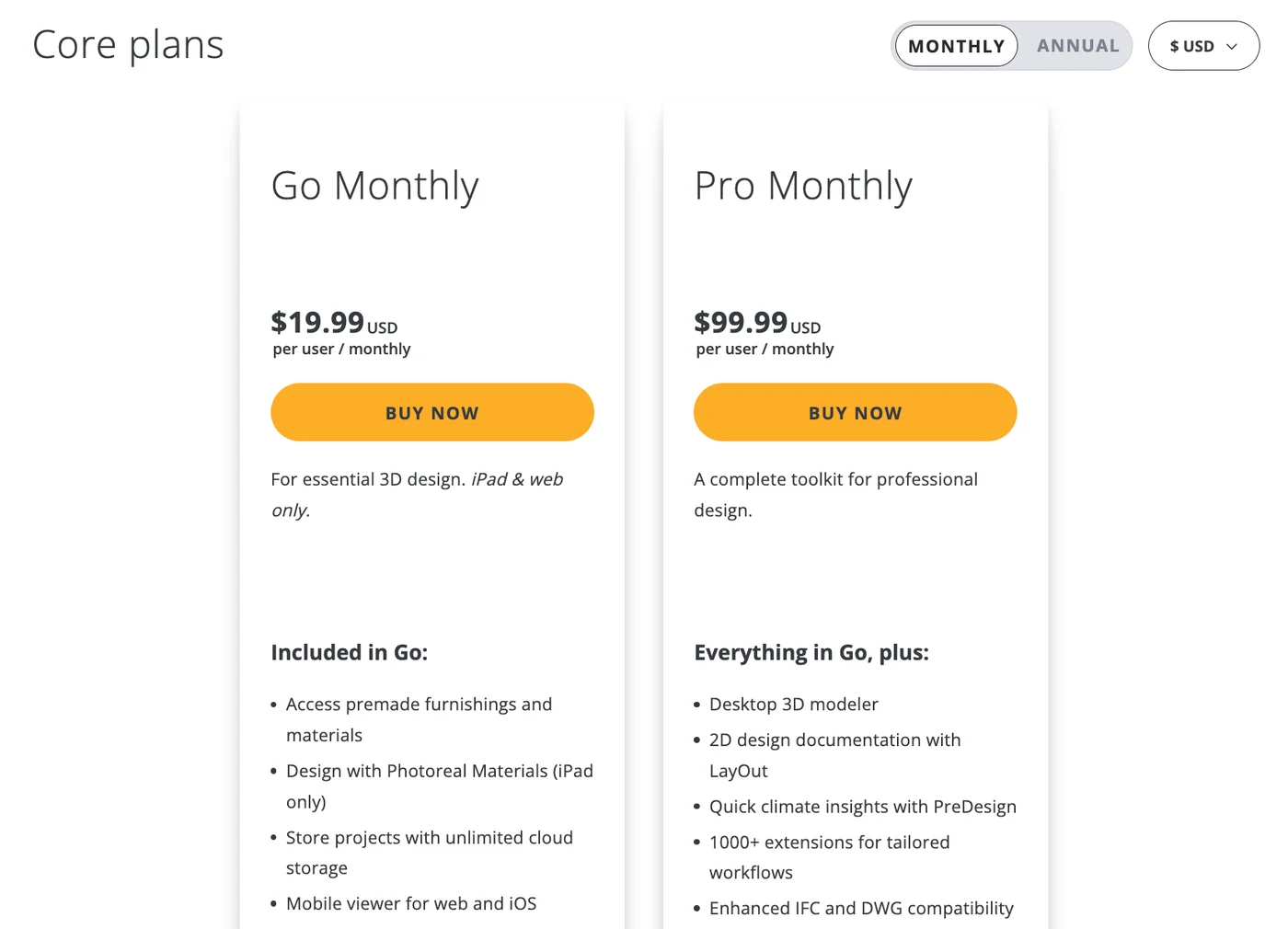
The same page on monthly billing. Only Go and Pro are offered month to month; Studio disappears.
Pro on annual billing is $399. Pro on monthly billing is $99.99 a month, which is $1,199.88 over a year. That is the single biggest pricing difference on the page, and it is bigger than the gap between Pro and Studio.
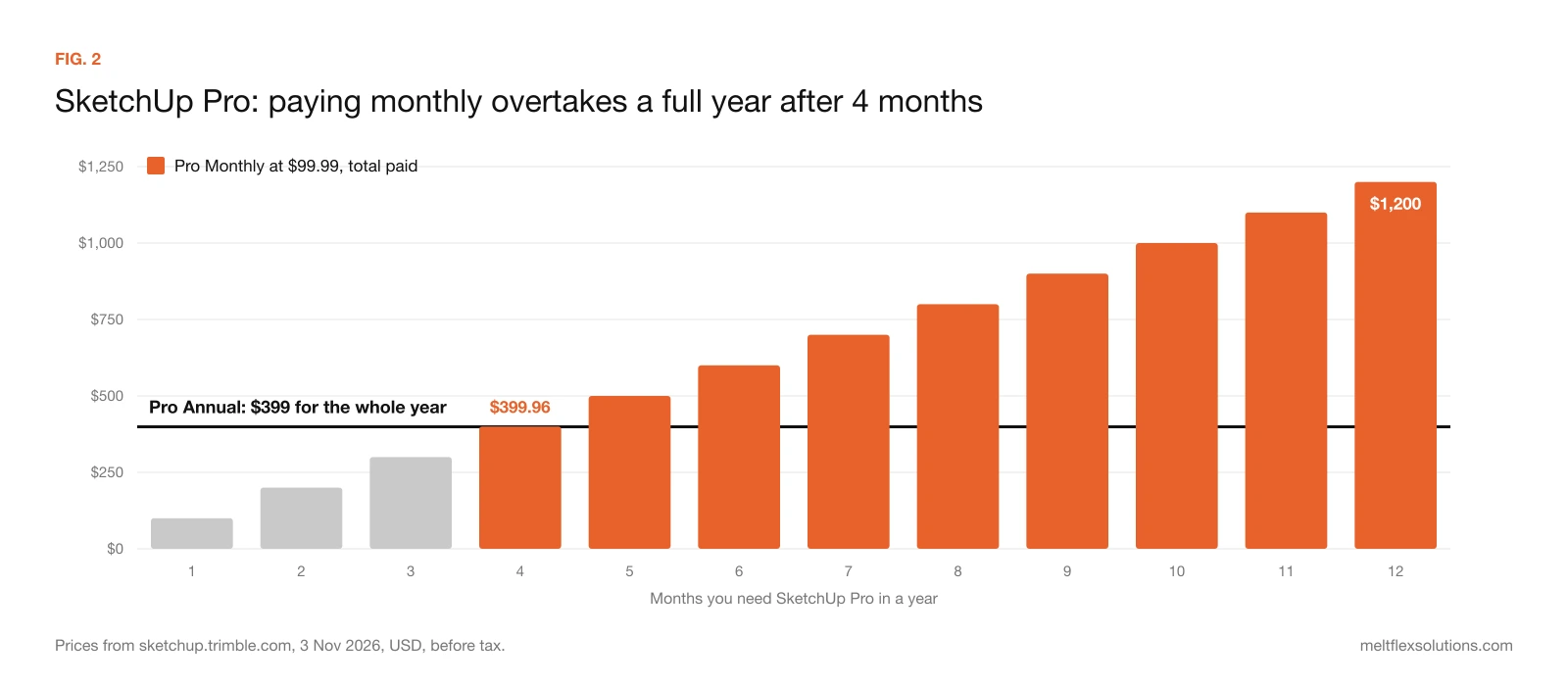
FIG. 2. Four months of Pro on monthly billing ($399.96) already cost more than a whole year on annual billing ($399).
The rule that follows: if you will need SketchUp Pro for four months or more in the next year, buy the annual plan. Monthly makes sense only for a short, defined job, such as one three-month project, a contractor who models in the slow season or someone testing Pro beyond the trial. For Go the break-even is later, at seven months ($139.93 against $129), because the monthly premium is smaller.
Two policy details matter here. Trimble renews subscriptions automatically "for an equal term at the then-current price", so a renewal can cost more than the year you signed up for. And the refund window is short: 14 days from the purchase or renewal date for annual plans, 7 days from the first purchase for monthly ones. Set a reminder before your renewal date if you are not sure you will keep using it.
When we opened the pricing page, a pop-up also offered 10% off SketchUp Pro. Offers like that come and go, so check the page before paying the list price.
Is SketchUp free?
Partly. There are four legitimate ways to use SketchUp without paying the full price:
- SketchUp Free runs in the browser, for personal and non-commercial projects only.
- The free Pro trial includes everything in a Pro subscription and needs no credit card. Trimble's help page does not state the length; the SketchUp forum and resellers describe it as 7 days. When it ends you can carry on as a free user, and files saved in Trimble Connect stay available in SketchUp for Web.
- SketchUp for Schools is free for K-12 classrooms with a Google Workspace for Education or Microsoft Education account.
- Education plans are not free but cost $55 a year for students and educators. Universities buying seats pay $30 to $50 per user, depending on volume.
What about SketchUp Make 2017, which still gets around 700 searches a month in the US? It was the last free desktop version. Trimble no longer supports it or provides download links to unsupported versions, and anything downloaded from a third-party site is a security risk. Treat it as history, not as a free alternative.
What SketchUp does not include (the costs after the subscription)
- Rendering on Pro. Photorealistic images need Studio's V-Ray or a renderer such as Enscape or a separate V-Ray licence, each with its own subscription. Check their current US prices before you decide whether Studio or Pro plus a renderer works out cheaper.
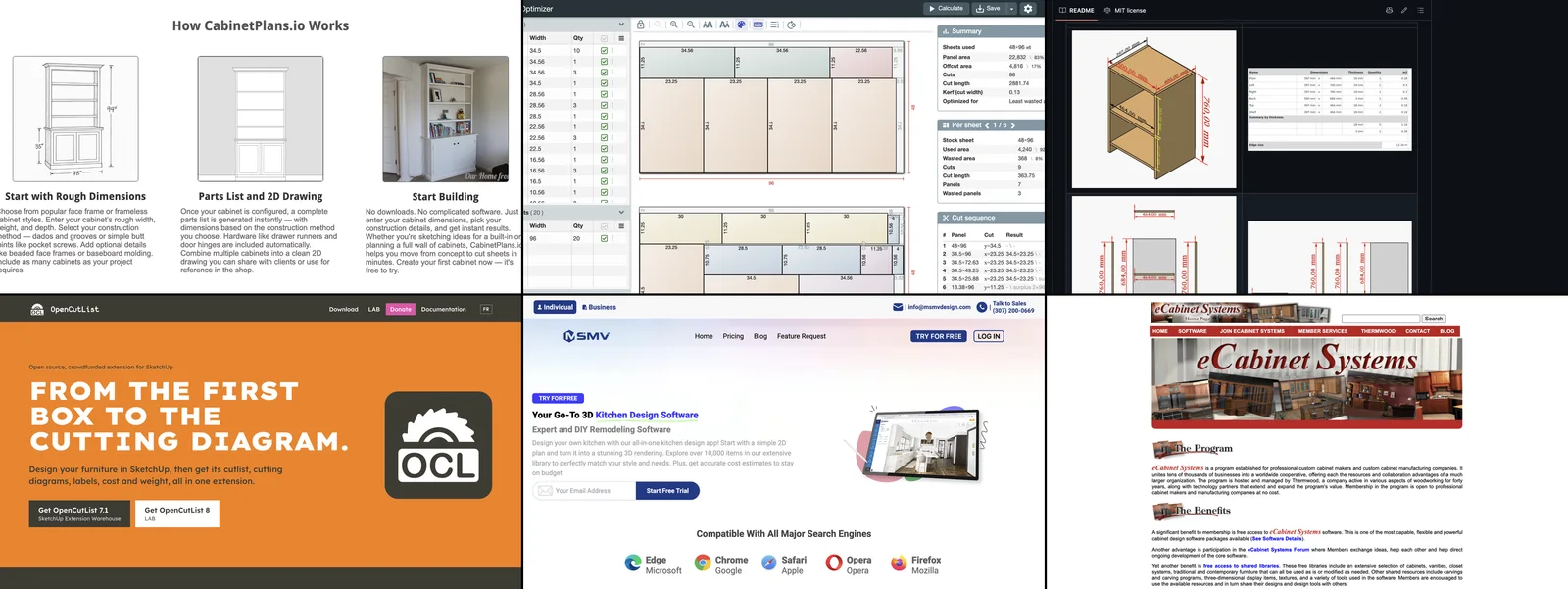
- Paid extensions. Pro unlocks the Extension Warehouse, but the subscription does not pay for what is in it. Some extensions are free and others are sold by their developers on their own terms. OpenCutList, the free cut list extension woodworkers use, is one of the free ones, but it needs desktop SketchUp; we compared it with other options in free cabinet design software.
- Hardware for Studio. Studio and the scan plans need Windows. A Mac office pays for a Windows machine or stays on Pro.
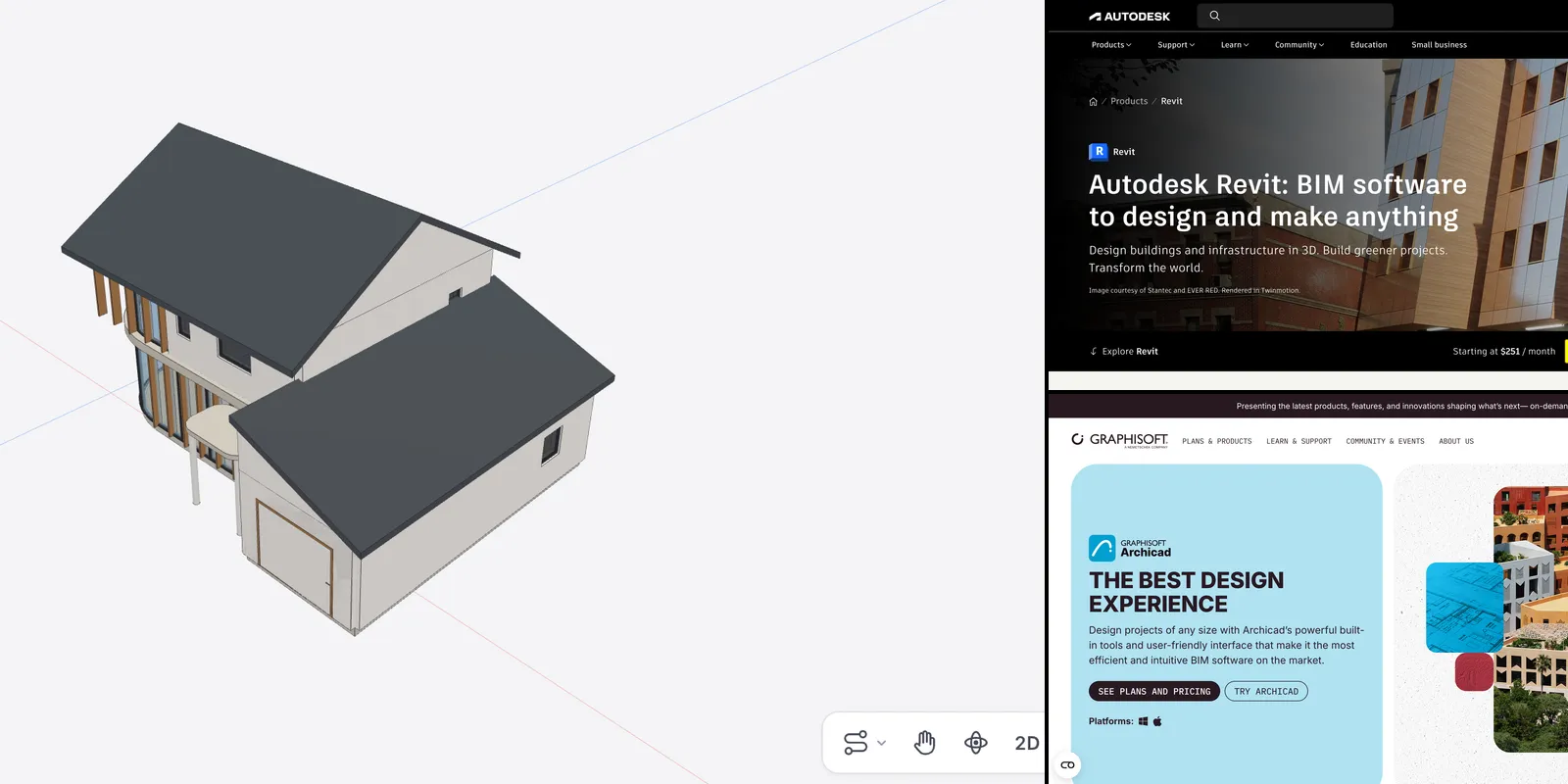
- Time. LayOut drawings take real practice. If what you need is construction documents, also look at BIM tools that produce drawings from the model, compared in our guide to the best BIM software. Revit LT, for comparison, was $560 a year on Autodesk's US site on the same day.
How to pay less for SketchUp
1. Buy annual, not monthly, if you need it for four months or more. This alone saves up to $800 a year on Pro.
2. Pick the smallest plan that covers your output. Go if you only model and share on an iPad or in a browser. Pro if you need drawings. Pro Advanced Workflows instead of Studio if you need point clouds and Revit import but not V-Ray.
3. Do not buy Studio just for client pictures of an existing room. A large share of SketchUp work in interior design is modelling a room that already exists so the client can see new furniture, colours or flooring. For that job, MeltFlex AI, which we make, works from a photo of the real room instead of a model: it restyles and furnishes the space, swaps floors and wall finishes, and turns a 2D floor plan into a furnished 3D model. It does not replace SketchUp for anything that has to be built to measure, such as cabinetry, framing or a set of drawings, but it can replace the "make it look real" step that is the main reason people move from Pro to Studio.
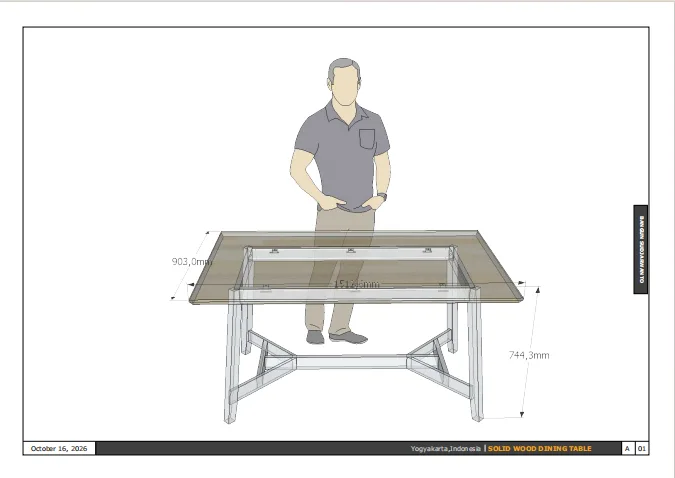
Work that is built to measure, like this table, still belongs in SketchUp. Project: Solid Wood Dining Table, 3D and Shop Drawing by bangun sejati on Behance.
4. Start new buildings from a brief, not from an empty file. If you use SketchUp to block out a house before drawing it properly, AIBIMTool, which we also make, turns a written brief into a first 3D BIM model with storeys, walls, doors, windows, stairs and named rooms, and exports it as an IFC file. SketchUp Pro lists IFC compatibility, so the model can serve as a starting point, and the same file opens in Revit or Archicad if the project moves on. The model is schematic: no materials, no construction details, and the first layout needs a designer's eye.
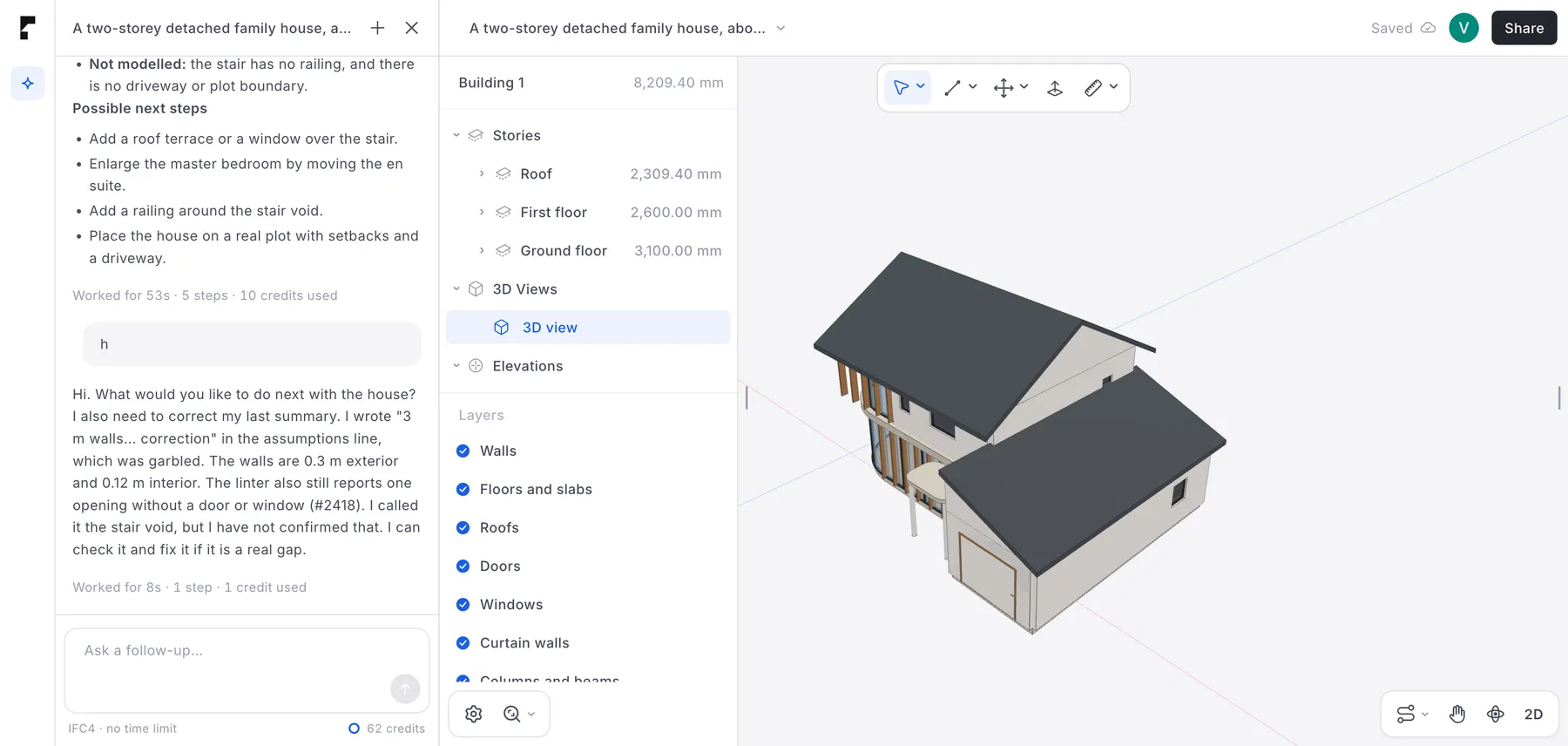
A first model from one written brief in AIBIMTool, from our own test in October 2026. It is a starting massing and room layout, not a finished design.
5. Use the education price only if you qualify. The $55 plan is for students and educators. Using it for paid work breaks the licence terms.
Is SketchUp worth it?
For most people who design for a living, yes, on the right plan. At $399 a year, Pro costs about $1.09 a day, and it is still one of the fastest ways to get an idea into 3D. Where it is not worth it:
- On monthly billing for a whole year. You pay $1,200 for what costs $399.
- On Studio for occasional renders. $460 a year for V-Ray is good value if you render every week, and poor value if you render twice a year.
- On Free for client work. It is free only because it is not licensed for that.
- For construction documents on large projects. SketchUp with LayOut can produce drawings, but if your consultants work in Revit or IFC, a BIM tool fits the job better.
Questions people ask about SketchUp prices
How much does SketchUp Pro cost per year?
$399 a year in the US, shown on Trimble's page as $33.25 a month billed annually. On monthly billing, Pro costs $99.99 a month, or $1,199.88 if you keep it for a full year. Prices exclude tax and were checked on 3 November 2026.
Is SketchUp free?
SketchUp Free is, but only in a web browser and only for personal, non-commercial projects. There is also a free Pro trial with no credit card, free SketchUp for Schools for K-12, and $55 education plans for students and educators. Every paid desktop version is a subscription.
Can I still buy SketchUp with a one-time payment?
No. Trimble stopped selling new Classic (perpetual) licences and renewals on 4 November 2020. Every plan is now an annual or monthly subscription, and Classic licences for SketchUp 2017 and older can no longer authorise the program.
What is the difference between SketchUp Pro and Studio?
Studio costs $460 a year more ($859 against $399) and adds V-Ray rendering, animations and 360° panoramas, Scan Essentials for point clouds, the Revit Importer and unlimited daily 3D Warehouse downloads. Studio runs only on Windows; Pro also runs on a Mac.
Does SketchUp Go include the desktop version?
No. Go runs in a web browser and on an iPad. The desktop modeler, LayOut drawings and extensions start with Pro.
How much is SketchUp for students?
$55 a year for students and the same for educators. Universities buying seats pay $30 to $50 per user depending on volume, and K-12 schools can use SketchUp for Schools for free.
What is a cheaper alternative to SketchUp?
It depends on the job. For non-commercial projects, SketchUp Free. For BIM drawings, Revit LT costs $560 a year and free desktop tools such as Bonsai exist, compared in our best BIM software guide. For pictures of an existing room, an AI tool such as MeltFlex AI works from a photo, and for a first model of a new building, AIBIMTool works from a written brief. None of them is a like-for-like replacement for SketchUp Pro's modelling and LayOut drawings.
How we made this guide
Every price comes from the vendor's own page. On 3 November 2026 we opened Trimble's US pricing page for SketchUp, recorded every plan on both annual and monthly billing, and took the screenshots shown above. Plan contents come from the same page's comparison tables, and the rules on Free, the trial, Classic licences and refunds come from SketchUp's help centre and the FAQ on the pricing page. Yearly totals are Trimble's monthly rate multiplied by 12; your invoice may differ by a few cents and will add sales tax. The Revit LT price is from Autodesk's US Revit comparison page on the same day. We did not quote prices for third-party renderers, because their pages showed us European prices. Search demand was checked in Ahrefs Keywords Explorer for the US.
The author, Matúš Koleják, builds design and BIM software at MeltFlex. Disclosure: MeltFlex s.r.o., which publishes this blog, makes MeltFlex AI and AIBIMTool, both mentioned above. Neither Trimble nor any reseller paid to be included, and we have no affiliate links in this guide.
Sources and further reading
- Trimble, SketchUp plans and pricing: every price, plan comparison, subscription term and refund policy.
- SketchUp Help Center, SketchUp Free: what Free includes and the non-commercial rule.
- SketchUp Help Center, free trial: what the trial includes and what happens after.
- SketchUp Help Center, end of Classic licences FAQ: the 4 November 2020 end of perpetual licences.
- Autodesk, Revit vs Revit LT: Revit LT pricing for comparison.
Running a design studio and losing hours to briefs, proposals and client revisions? Book a free call and we will show you which parts can be automated.
Image credits: projects published on Behance, credited under each picture, resized or cropped to fit the page and otherwise unedited: Daniela Leite, Vikas R, Alfian Ilhamuddin and bangun sejati. AIBIMTool screenshot from our own test project, October 2026. Screenshots of sketchup.trimble.com taken on 3 November 2026. Charts by MeltFlex Solutions from Trimble's published prices.
More articles
Share article