Inside MeltFlex AI: 8 AI Design Tools That Redesign a Whole Property
Most AI design tools do one trick. They restyle a room, or they recolour a wall, and that is where they stop. MeltFlex AI is built differently. It is a full suite of tools that can redesign an entire property, inside and out, from a single photo or a floor plan.
This guide walks through all eight tools in plain English. For each one you will see what it actually does, how it works under the hood, and who gets the most out of it. No jargon, no hype, just a clear picture of what is possible.
One platform, eight tools. Everything from a single room to a full 3D model of a home.
The eight tools at a glance
Before the detail, here is the whole set in one place. Each tool has its own page on MeltFlex AI, with a live visualisation at the top so you can see exactly what it does:
- AI Interior Design turns a photo of a room into a fully furnished, restyled space.
- AI Layout Boost rearranges a room for better flow and use of space.
- AI Exterior Design restyles the outside of a building, from facade to entrance.
- AI Garden Design reimagines outdoor space, planting, patios and all.
- AI Walls Texture swaps wall finishes, from paint colour to panelling and brick.
- AI Floor Restyle changes the flooring to any material you like.
- AI Video Walkthrough turns a design into a smooth moving video of the space.
- AI Floorplan to 3D converts a flat 2D plan into an interactive, furnished 3D model.
Everything runs from your browser, most results land in around 20 seconds, and it is free to try without signing up at meltflexai.com. Now let us go tool by tool.
1. AI Interior Design
This is the heart of MeltFlex AI. You upload a photo of any room and the AI furnishes and restyles it in the look you choose, whether that is modern, Scandinavian, farmhouse, industrial or something cosier.
How it works. Rather than inventing a random room, it reads the real walls, windows and natural light in your photo, then fills that exact space with furniture and decor. The result looks like your actual room dressed up, not a generic showroom render. In MeltFlex AI, the furniture it places is real, shoppable product with real pricing, so a pretty picture turns into a buyable plan.
Who it is for. Homeowners deciding how to decorate, real estate teams staging empty listings, and designers who want a fast first concept to show a client before committing to anything.
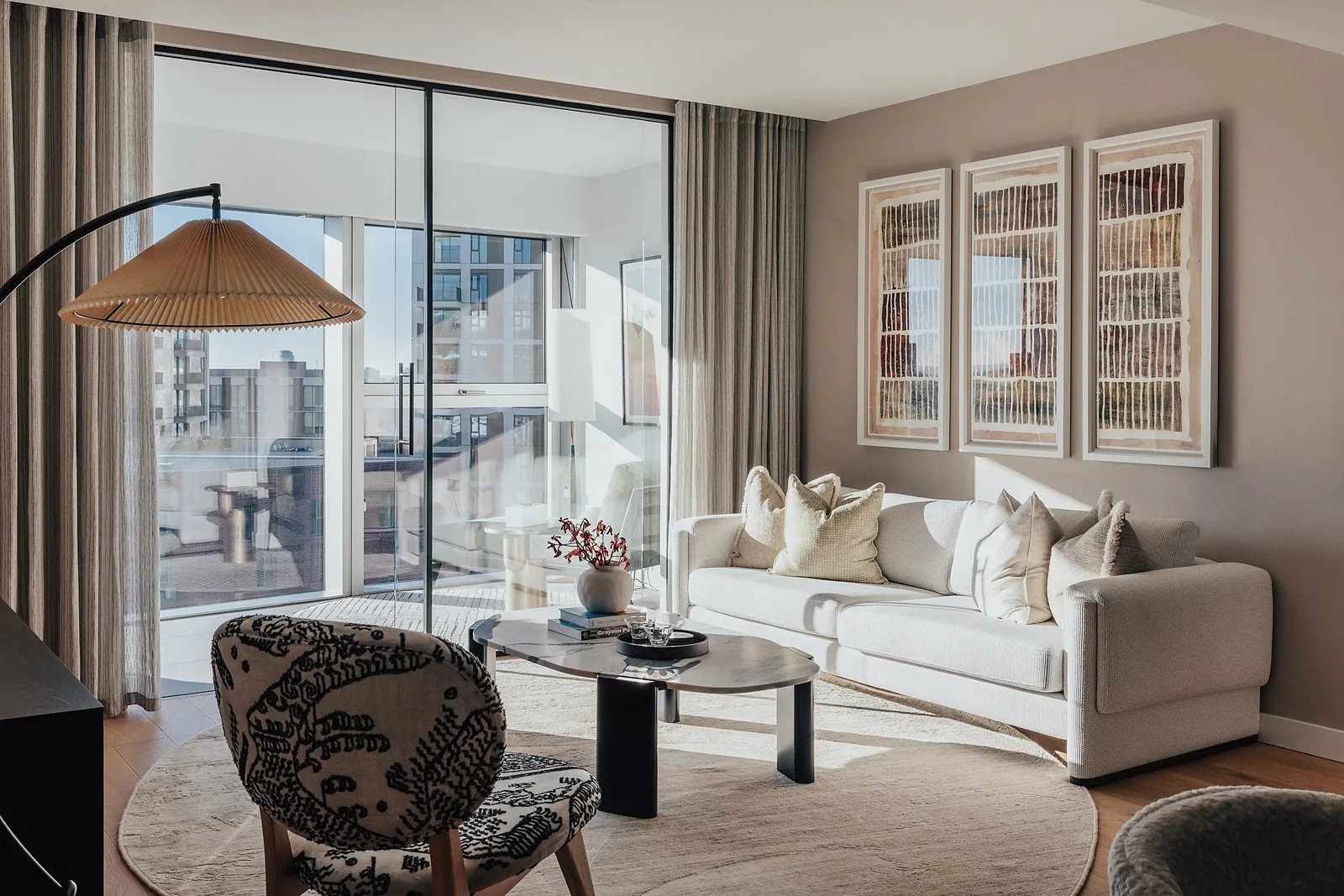
Upload a photo, pick a style, and get a furnished room back in seconds.
A quick tip. Feed it a clear, well-lit, straight-on photo of the whole room. The better the input, the more believable the result.
Open the AI Interior Design tool →
2. AI Layout Boost
A room can have lovely furniture and still feel wrong. Layout Boost is about the arrangement, not the items. It looks at the shape of your space and proposes a better way to organise it, so the room flows and every corner earns its place.
How it works. The AI considers the room's dimensions, doorways, windows and natural walking paths, then suggests placements that improve circulation, conversation and function. Think of it as a second opinion on where things should go.
Who it is for. Anyone with a small, narrow or awkward room, open-plan spaces that need clear zones, and people about to move heavy furniture who would rather test the plan first than shift a sofa five times.
A quick tip. Decide the room's main job first. A lounge built around conversation and one built around a television want very different layouts.
Open the AI Layout Boost tool →
3. AI Exterior Design
Curb appeal is the first thing anyone sees, and it is expensive to get wrong in real life. AI Exterior Design lets you restyle the outside of a building before you touch it.
How it works. You upload a photo of the facade and the AI reimagines it while respecting the building's real structure. It can rework cladding and render, paint colours, roofing, window frames, the front door and the entrance, so you can compare looks side by side.
Who it is for. Owners planning a renovation, buyers picturing a property's potential, and real estate teams that want to show what a tired exterior could become.
A quick tip. Try two or three clearly different directions before fine-tuning one. It is easier to choose when you can see the contrast.
Open the AI Exterior Design tool →
4. AI Garden Design
Outdoor space is the most overlooked part of a property and often the hardest to imagine finished. AI Garden Design turns a bare or messy yard into a proper plan.
How it works. From a photo of your outdoor space, the AI proposes planting, lawn, patios, paths, decking, seating, pergolas and lighting, arranged to suit the size and shape of the area. You can iterate quickly, swapping features in and out until it feels right.
Who it is for. Homeowners planning a garden makeover, anyone gathering ideas before getting a landscaping quote, and sellers who want the outside to look as inviting as the inside.
A quick tip. Note which way the space faces and how much sun it gets. Realistic planting starts with realistic light.
Open the AI Garden Design tool →
5. AI Walls Texture
Walls set the whole mood of a room, and paint is the cheapest big change you can make. AI Walls Texture lets you preview finishes on your actual walls before you buy a drop of anything.
How it works. The AI detects the walls, ceiling and corners in your photo and applies the new finish while accounting for the existing shadows and light, so the colour looks the way it really would in your room. Beyond paint, you can try wallpaper, panelling, exposed brick, concrete and plaster.
Who it is for. Anyone agonising over a paint colour, people planning an accent or feature wall, and designers presenting finishes without lifting a brush. It has quietly replaced the row of sample pots on the wall.
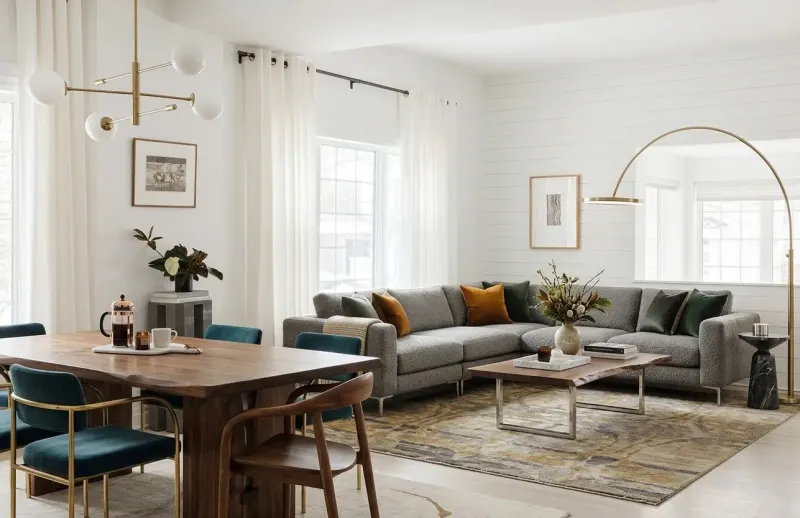
Walls and floors carry most of a room's character. Test them before you commit.
A quick tip. Check your chosen colour in both daylight and evening light. The same paint can feel completely different after dark.
Open the AI Walls Texture tool →
6. AI Floor Restyle
Flooring is one of the most disruptive and costly things to change, which makes previewing it especially valuable. AI Floor Restyle swaps the floor in your photo for any material you are considering.
How it works. The AI identifies the floor area and re-renders it in the new material, keeping the correct perspective and lighting so the planks or tiles sit naturally in the room. You can move between hardwood, laminate, tile, stone, polished concrete and carpet in seconds.
Who it is for. Anyone choosing flooring before a renovation, people comparing a few finalists in their own space, and sellers testing what lifts a room most.
A quick tip. Look at how the floor meets the walls and furniture. That edge is where a swap either convinces you or does not.
Open the AI Floor Restyle tool →
7. AI Video Walkthrough
A still image shows a room. A walkthrough lets you feel it. AI Video Walkthrough turns a design into a smooth moving clip that travels through the space.
How it works. The tool takes your designed room and generates motion, producing a short video that glides through the scene the way a viewer naturally would. It is the difference between a photo of a home and a viewing.
Who it is for. Real estate listings that want to stand out, social media content, and client presentations where an immersive feel closes the gap between an idea and a yes.
A quick tip. Keep walkthroughs short and purposeful. A focused clip of the best spaces beats a long, wandering tour.
Open the AI Video Walkthrough tool →
8. AI Floorplan to 3D
This is the tool that surprises people most. You upload a flat 2D floor plan, an image or a PDF, and MeltFlex AI turns it into an interactive, furnished 3D model of the home.
How it works. The AI reads the plan, detecting walls, rooms and openings like doors and windows, then builds them into three dimensions and labels each space so it can furnish rooms appropriately. Instead of staring at lines on paper, you get a model you can actually understand and explore.
Who it is for. Buyers trying to picture an off-plan or listed property, owners planning a renovation or extension, and anyone who finds 2D plans hard to read, which is almost everyone.
A quick tip. Use the clearest version of the plan you have. Crisp lines and labelled rooms give the AI the best chance of reading it correctly.
Open the AI Floorplan to 3D tool →
How the tools work together
The real power is not any single tool. It is that they share one platform and one logic. You can take a property from a flat floor plan, build it in 3D, furnish each room with AI Interior Design, perfect the arrangement with Layout Boost, settle the walls and floors, style the exterior and garden, and finish with a video walkthrough. The whole journey, inside and out, in one place.
Because the furniture in MeltFlex AI is real, shoppable product, a design is never just a picture. It is a plan you can act on.
The point was never to make one clever image. It was to take a space from idea to finished, buyable design without the usual weeks of back and forth.
Who MeltFlex AI is for
Three groups get the most from it. Homeowners use it to see changes before spending money, from a paint colour to a full renovation. Real estate teams stage listings, restyle exteriors and produce walkthroughs in minutes instead of days. Designers and trades use it for fast concepts and client buy-in, then bring their own craft on top.
It is simple enough for a curious first-timer and accurate enough to put on a live listing. See the full story on our MeltFlex AI case study.
Questions people ask us
Do I need design or 3D skills to use MeltFlex AI? No. Every tool works from a photo or a floor plan. You upload, choose what you want, and the AI does the heavy lifting. There is nothing to install.
How long does a design take? Most results come back in around 20 seconds. You can iterate as many times as you like, swapping styles, materials and layouts until it is right.
Is the furniture real or just for show? In MeltFlex AI it is real, shoppable product with real pricing, so a design doubles as a shopping list rather than an unbuildable fantasy.
Can it do the outside of a property too? Yes. Between AI Exterior Design and AI Garden Design, you can restyle the facade, entrance, planting, patios and landscaping, not just the rooms inside.
Can it turn a 2D floor plan into 3D? Yes. AI Floorplan to 3D reads a 2D plan and builds an interactive, furnished 3D model, so you can understand and explore a space that only exists on paper.
So that is the full set. Eight tools that together cover a whole property, from the floor plan to the finished walkthrough, all from a photo and all in seconds.
The best way to understand it is to try it. MeltFlex AI is live and free to start at meltflexai.com, with no sign up to take your first room for a spin.
Want AI tools like these built around your own business, or a custom version for your product? Book a free call and we will map out what is possible.